

VWO Feature Experimentation already enables you to run powerful rollout, testing, and personalization campaigns using advanced segmentation. Along with that, our reporting (post-segmentation) capabilities help you slice and dice experiment results to uncover deeper insights into feature performance.
Now, we’re taking segmentation to the next level with major upgrades that bring more power, more flexibility, and significantly less engineering dependency.
1. Introducing built-in targeting attributes for client-side SDKs
We’ve added the following new attributes that are now automatically captured by our client-side SDKs and displayed in the segmentation UI:
| Attribute name | Mobile/Web support |
| App version | Mobile |
| Browser version | Web |
| OS version | Mobile + Web |
| Device model | Mobile |
| Locale | Mobile |
Earlier, these commonly used attributes had to be passed manually as custom variables, creating unnecessary engineering dependency and bloated SDK logic for standard use cases. With this update, these attributes are automatically captured by the SDK. No need to pass them manually.
2. Observed values against these new attributes are auto-inferred and can be used in reports (post-segmentation)
Values against the above listed attributes (i.e. App Version, Browser Version, OS Name/Version, etc) are now automatically inferred by the SDK and made available for analysis in your experiment reports.
For example, suppose you want to segment your experiment report by App version. In that case, you open the ‘custom segment’ module and simply select ‘App Version’ from the attribute list. The SDK automatically shows the values detected from your users (like 1.0.0, 1.0.1, 1.0.2, etc.). You select a value, apply an operator, and filter the report. That’s it.
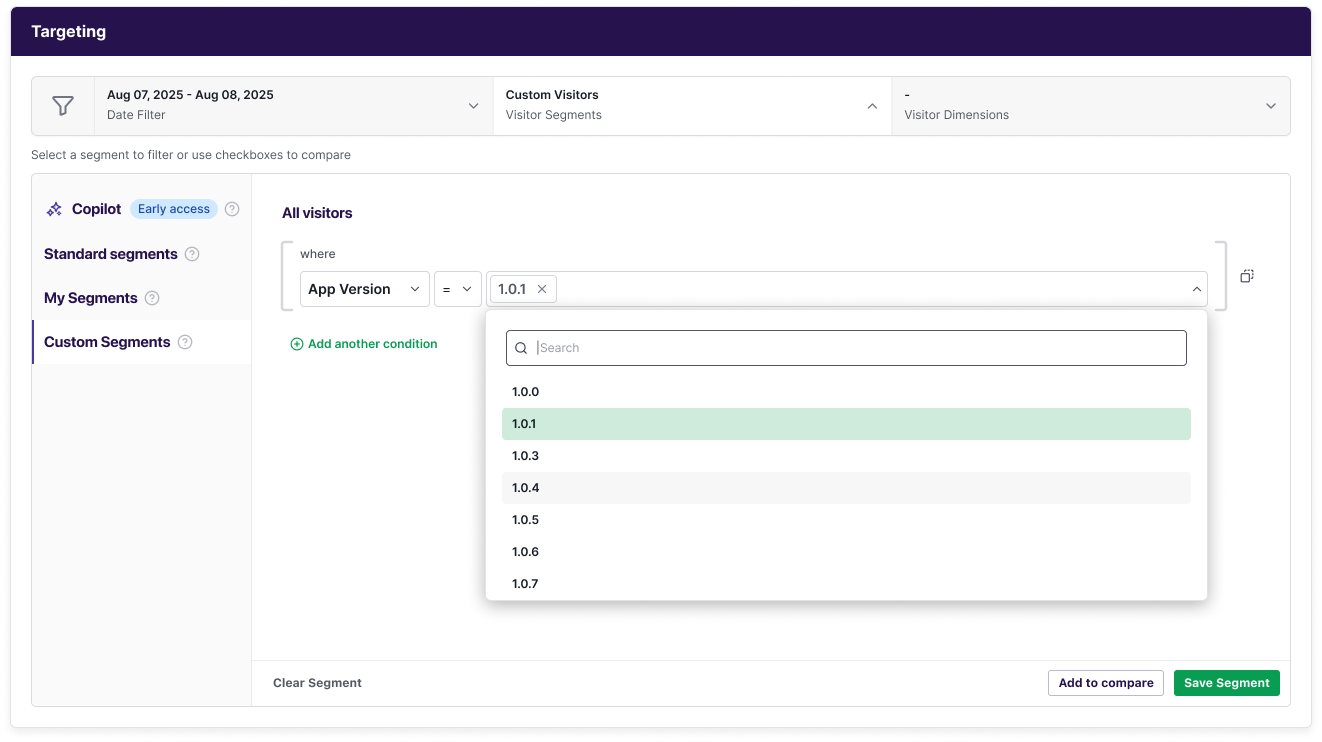
No engineering dependency to pass this information separately like it used to be earlier.
This gives you a powerful capability to slice and dice your results to answer critical questions like:
- Are users on version A converting better than version B?
- Is a specific device manufacturer causing unexpected performance issues in my experiment?
- Does my experiment’s impact differ significantly across different geographies
3. Reuse targeting context in post-segmentation analysis
Previously, context attributes could only be used in campaign targeting, i.e., before a user becomes part of the campaign (pre-segmentation). If you wanted to use those same attributes later to filter a campaign report, they had to be passed again separately, which meant extra work for engineers.
Now, that changes.
With this enhancement, the same targeting context is now also available in reports without any additional setup. For example, if you target users in your campaign based on Age (say Age > 20), you can later filter your campaign report for individual age or ranges (say Age between 25 and 30) to understand the specific impact for each group.
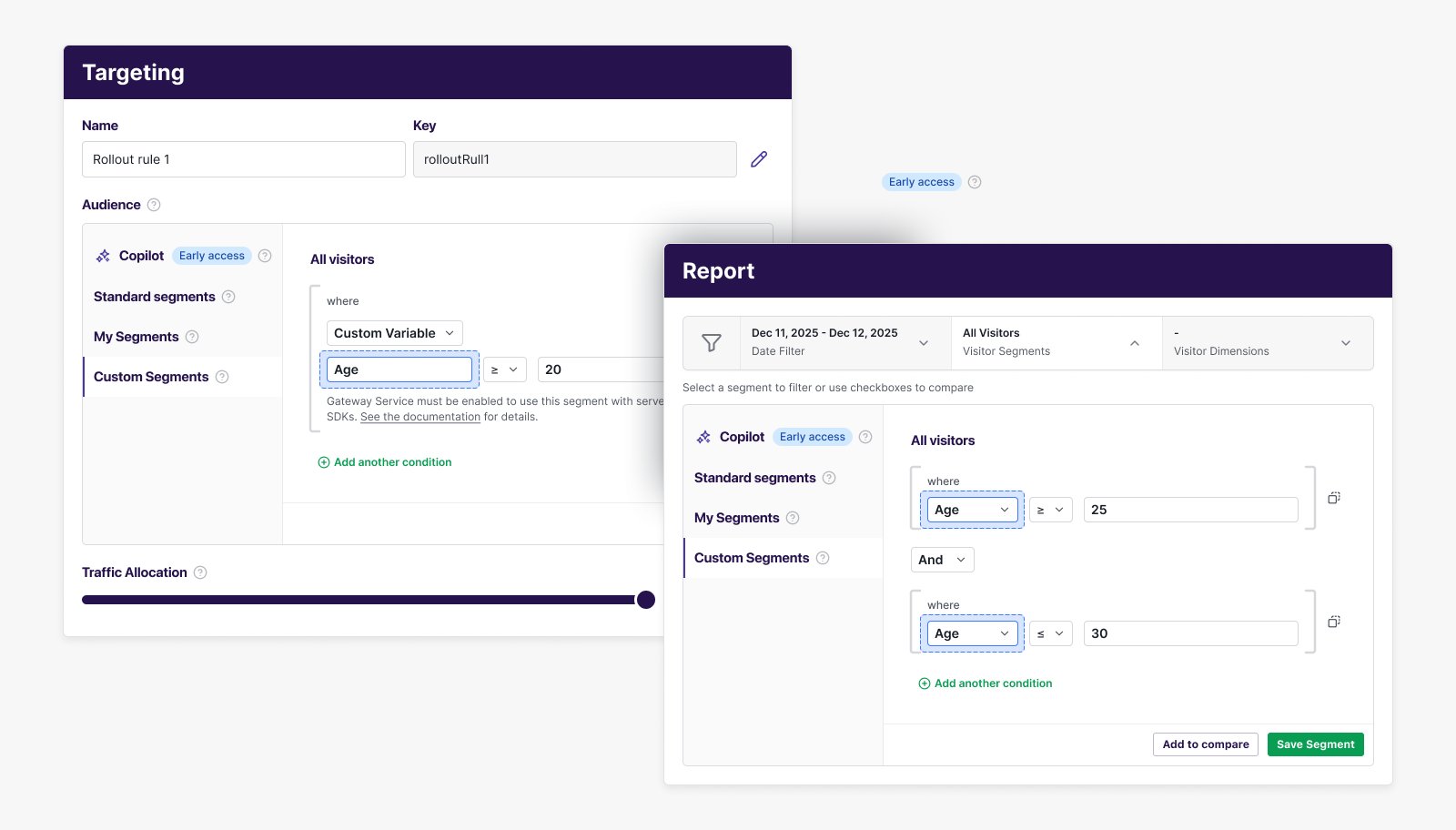
Try these powerful segmentation features today
While we believe the above tutorial will be helpful, we are also leaving you with this and this KB document that will give you a deeper understanding of these features.
Want a walkthrough tailored to your needs? Book a personalized demo anytime. Or just write to us at support@vwo.com. We’d love to hear from you.










