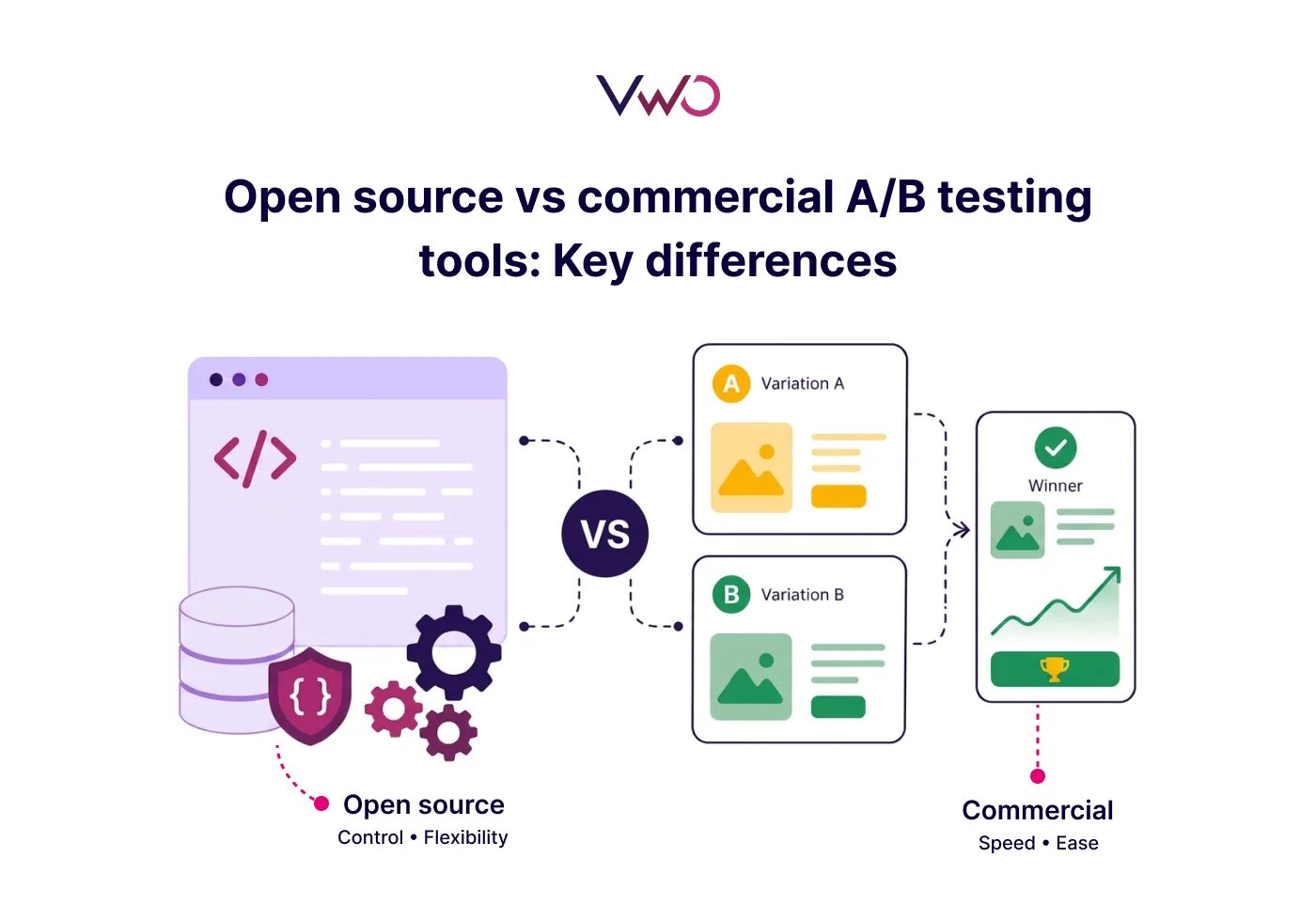
The main difference between an open source and a commercial A/B testing tool is ownership versus convenience.
Open source tools give you access to the source code; you own the infrastructure, setup, and maintenance. Commercial tools come ready to run, with built-in statistical analysis, visual editors, and support. The decision usually comes down to how much engineering effort you’re willing to invest versus how quickly your team needs to move.
This guide breaks down both approaches so you can choose based on how your team actually operates, not just what the feature list promises.
What are open source A/B testing tools?
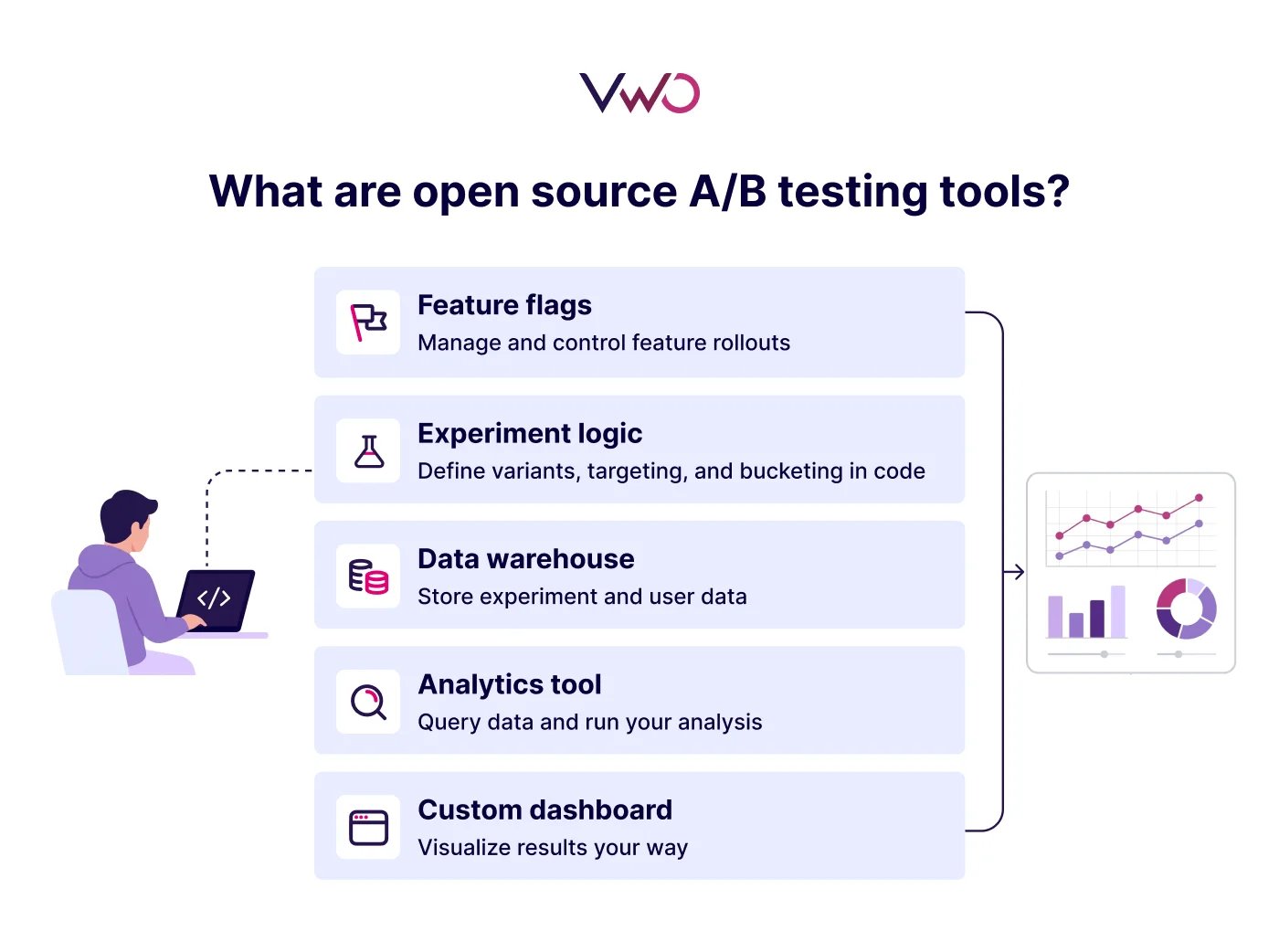
Open source A/B testing tools are frameworks or libraries whose code is publicly available for viewing, modification, and distribution. Hosting, tech stack configuration, and maintenance are the user’s responsibility.
How they work
Open source A/B testing tools are usually integrated into your web or mobile app via an SDK or a script. From there, experiments are defined in code using feature flags or conditional logic: users are bucketed into variations based on attributes such as device, behavior, or location, and results are ingested into your own database or a connected analytics platform for analysis.
Popular options
GrowthBook: Open-source experimentation and feature flagging platform available as a self-hosted or managed cloud. Includes built-in Bayesian and Frequentist statistical engines and supports analysis using warehouse data sources such as Snowflake, BigQuery, and Redshift.
Unleash: Feature management platform with a self-hosted open-source version and a commercial cloud offering. Primarily built for feature flags and controlled rollouts, with experimentation possible through custom metrics and data integrations.
PostHog: Product analytics system with built-in experimentation available as both self-hosted and managed cloud. Integrates A/B testing, feature flags, session recordings, and funnel analysis all in one platform.
Flagsmith: Feature flag and remote configuration app with both open source and cloud options. Supports experimentation through integrations with analytics tools, but testing capabilities are not as extensive as those of dedicated experimentation platforms.
Advantages
Cost: No licensing fees. For early-stage teams or those with strong engineering resources, this is a real cost-saving compared to commercial alternatives.
Data control: With self-hosting, experiment and user data stay within your own infrastructure, which is relevant if your team is navigating GDPR, HIPAA, or similar requirements.
Flexibility: Open source tools can be adapted to work across different tech stacks and programming languages, making them easier to integrate into non-standard or complex environments.
Community: Bug fixes, integrations, and new features often come from teams solving the same problems you are.
Feature management: Many tools also serve as feature management platforms, supporting feature flags, controlled rollouts, and kill switches.
Limitations
Engineering dependency: Setup, QA, and changes to live tests all require developer involvement, which prevents product and growth teams from operating independently.
No visual editor: Most open source tools don’t include a visual editor, and hence, experiment variations are typically defined in code.
Statistical setup: Some open source tools require external statistical configuration; others, such as GrowthBook and PostHog, include built-in statistical engines.
Maintenance burden: Updates, security patches, and scaling all fall on your team and grow with experimentation volume.
Limited support: There’s no dedicated support. Troubleshooting means community forums or GitHub issues.
Project risk: If the open source community loses momentum or its priority changes, your team may need to handle maintenance without vendor support
Scaling complexity: Running multiple experiments across web, mobile apps, and backend systems becomes harder to manage without dedicated engineering time.
What are commercial A/B testing tools?
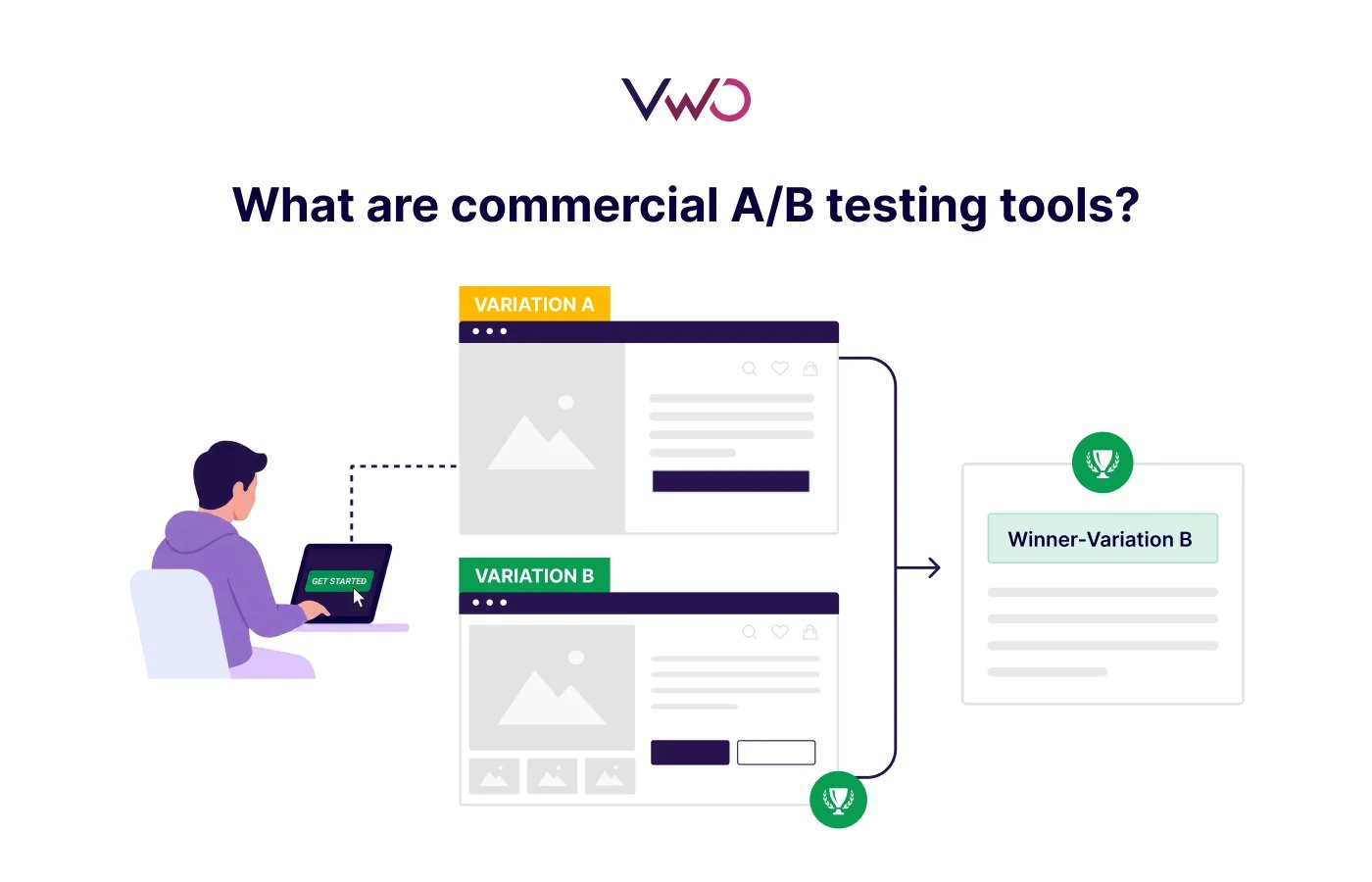
Commercial A/B testing tools are fully managed experimentation platforms that bundle experimentation, targeting, reporting, and often feature management into a single platform. They help teams run, analyze, and scale experiments without building infrastructure from scratch or relying on developers.
How it works
Commercial A/B testing tools split traffic between a control and variations, track user behavior, and identify what performs better. Teams define a hypothesis, create variations using a visual editor, and let the platform handle traffic allocation.
Results are analyzed automatically using a built-in statistical engine that calculates significance and tells you when you have a winner, no manual setup required.
Popular options
VWO: Experimentation and optimization platform combining A/B testing, behavioral analytics, personalization, and AI-assisted workflows in a single stack. Built for both front-end and server-side experimentation across web and mobile.
Optimizely: Enterprise experimentation and feature management platform supporting A/B testing, multivariate testing, and server-side experimentation.
Adobe Target: Enterprise-grade A/B testing and personalization platform deeply integrated with the Adobe Experience Cloud. Best suited for organizations already invested in the Adobe ecosystem.
Omniconvert: CRO platform combining A/B testing, customer segmentation, surveys, and web personalization. Designed for eCommerce teams looking to improve conversion across the full customer journey.
Convert Experiences: A/B testing and experimentation platform supporting client-side, server-side, and split URL testing with a visual editor and advanced targeting options.
Faster execution: Launch experiments quickly using a visual editor, without depending on engineering teams for every change.
Built-in analysis: Statistical calculations and reporting are handled within the platform, enabling faster and more reliable decision-making.
Behavioral insights: Combines testing with user behavior data (heatmaps, session recordings, funnels) for deeper insights
Dedicated support: Access to account managers, live chat, expert support, onboarding help, and ongoing guidance
Scalability: Built to handle multiple experiments across web, mobile apps, and backend systems simultaneously.
Integrations: Connects easily with your existing tech stack and popular analytics platforms
Limitations
Cost: Subscription pricing can be high, especially for enterprise customers or high-traffic websites
Less control: Compared to open source tools, there may be limits on customization or on how experiments are implemented
Vendor dependency: Teams rely on the platform’s roadmap, pricing, and feature availability
Learning curve (initial): While user-friendly, teams still need onboarding to use advanced features effectively
Open source vs commercial A/B testing tools: Key differences
1. Pricing
Open source tools don’t have licensing costs, but you do have to pay for engineering work, maintenance, and infrastructure. Commercial tools use subscription pricing, which makes costs easy to predict and reduces the need for extra tools.
2. Engineering dependency and time to value
Open source tools offer full control, but setup and experimentation depend heavily on engineering effort. Built-in features in commercial tools make this less of a problem, enabling product and growth teams to launch and learn faster.
3. Maintenance and ownership
Open source tools require ongoing maintenance: updates, security patches, and scaling are all handled internally. Commercial tools shift that responsibility to the vendor, with regular updates and SLAs in place.
4. Integrations
Open source tools can integrate with almost anything, but usually require custom development. Commercial tools come with prebuilt integrations with well-known analytics platforms, CRMs, and data systems, making setup easier.
5.Speed and experimentation velocity
With open source tools, every test involves code changes and deployment cycles. Commercial tools use visual editors and built-in workflows, making it easier to launch and iterate on multiple experiments quickly.
6. Reporting and insights
Open source tools rely on external systems to track user behavior and analyze experiments. Commercial tools like VWO combine testing with behavioral data (heatmaps, session recordings) and reporting to give a fuller picture of how users move through your site and what they do.
7. Support and guidance
Open source relies on community forums and documentation, and there’s no guarantee of a quick response. Commercial tools provide dedicated support, onboarding, and ongoing guidance, important when experiments impact revenue.
Open source vs commercial A/B testing tools: Comparison table
Factor
Open Source Tools
Commercial Tools
Pricing
Low upfront, higher hidden costs
Subscription-based
Engineering dependency
High
Low to moderate
Time to value
Slower setup
Faster to launch
Maintenance & ownership
Fully internal
Vendor lock-in
Integrations
Custom-built
Pre-built
Experimentation speed
Slower (code-dependent)
Faster (visual editor)
Reporting & insights
External tools needed
Built-in
Support
Community-driven
Dedicated support
When should you use open source A/B testing tools?
You have a strong engineering team: If developers can own the setup, maintenance, and iteration without it becoming a bottleneck, open source is a viable option.
Data privacy is non-negotiable: Strict compliance requirements, such as GDPR, HIPAA, or internal data governance policies, that prevent user data from leaving your infrastructure make self-hosted, open source tools the safer choice.
Your experiments live in the backend: If most of your tests involve server-side logic, API behavior, or complex user journeys rather than front-end UI changes, then giving you greater control over how experiments are implemented and evaluated.
You’re running a lean operation: Early-stage teams or startups where cost is the primary constraint and engineering bandwidth exists to absorb the overhead.
You need warehouse-native analysis: When experiments need to run directly on your data warehouse, such as Snowflake, BigQuery, Redshift, for actionable insights without syncing data to a third-party platform.
You want full control over your experimentation stack: No vendor roadmap dependencies, no feature limitations, you build exactly what you need.
When should you use commercial A/B testing tools?
Cross-team experimentation: When product managers, growth teams, or marketers need a testing platform that streamlines experiment creation and collaboration across teams, reducing bottlenecks and making experimentation easier to scale.
Speed matters: When non-technical teams want to go from hypothesis to live test quickly using a visual or no-code editor.
Statistical reliability is a priority: When you need significance calculations, confidence intervals, and experiment analysis handled correctly within the platform, without building your own statistical layer.
Scaling across multiple surfaces: When experiments are running simultaneously across web, mobile apps, and backend systems, and you need a single platform to manage and track all of it.
Focus on user behavior and insights: To run a successful test, it’s important to understand how users move through heatmaps, session recordings, and funnels.
Enterprise compliance and reliability: When you need vendor-managed security, guaranteed uptime, and SLAs that a self-hosted setup can’t provide.
Your team is already using a connected stack: When seamless integration with existing CRMs, analytics platforms (such as Google Analytics), and customer data platforms is a requirement, not a nice-to-have.
Pro Tip!
Leverage both internal and external integrations through a unified experimentation platform to streamline experimentation workflows at scale. Commercial tools (like VWO) connect experimentation with other in-platform capabilities such as behavioral analytics and personalization, making it easier to move from insight to action within the same ecosystem. They also integrate with external systems like CRMs, CDPs, analytics platforms, and data warehouses, reducing the engineering overhead often involved in open-source setups.
Can you combine open source and commercial A/B testing tools?
Yes, and some teams do; typically using a commercial tool for front-end experimentation and open source for back-end feature flags or controlled rollouts.
The main risk is experiment conflicts. If the two tools overlap the same user journey, the results could be contaminated. Clear surface ownership and shared user attributes between tools are non-negotiable.
For most teams, though, the added complexity isn’t worth it. A commercial platform with built-in feature flagging and experimentation capabilities can often simplify management by keeping everything within a single system.
When to choose VWO?
VWO is a better fit if:
You want to scale experimentation across teams
You don’t want every test to depend on developers
You want accurate experimental results without having to manage statistical calculations yourself.
You want insights + testing in one workflow
How VWO makes it possible:
Visual and code flexibility: A Visual Editor for quick launches, plus a code editor for advanced customizations when needed.
UI and front-end testing (VWO Testing): Run A/B, split URL, and multivariate tests across pages and user flows, with simple goal setup and traffic splitting built in.
Feature rollouts and server-side testing (VWO Feature Experimentation): Test backend logic, roll out features to controlled audiences, and manage releases without separate code deployments.
Behavioral insights: Heatmaps, session recordings, form analytics, and surveys (VWO Insights) sit alongside test results, so teams understand not just what changed, but why it worked.
Faster rollouts: Deploy winning variations instantly without waiting on separate code releases (VWO Rollouts).
Experiment management and AI assistance: VWO Plan keeps experimentation coordinated across teams, while VWO Copilot handles hypothesis generation, variation writing, and insight summarization.
Enterprise-ready: GDPR, SOC 2, and PCI DSS compliance with SSO, 2FA, and role-based access.
A few months ago, I heard a great quote about experimentation and A/B testing: “It doesn’t get easier, it just gets faster.” That perfectly captures the value of tools like VWO, which help businesses accelerate testing and iteration without the need for extensive infrastructure. Increasing the speed at which product teams can deploy, analyze, and act on experiments allows companies to stay ahead of the competition by making data-driven decisions faster.
Thousands of companies, from fast-growing startups to global enterprises, trust VWO to run, scale, and operationalize their experimentation programs. They use it to reduce dependence on development cycles, make faster decisions backed by data, and build a culture of continuous testing across product, marketing, and engineering teams. Read how they do it in the VWO success stories.
Ready to turn experimentation into a scalable growth engine instead of a scattered testing process? Request a demo to see how VWO fits your workflow.
FAQs
Which A/B testing approach is better for CRO?
Commercial tools are often better suited for CRO teams, where work moves fast: constant testing, analyzing user behavior, and iterating on variations. With a visual editor, built-in statistical analysis, and integrated insights, teams can move quickly. Open source can work, but developer dependency often slows iteration.
Can you use open source and commercial A/B testing tools together?
Yes. Many teams use open-source tools for backend experiments and to leverage feature flags, while relying on commercial tools for frontend testing and faster iteration.
How do I choose between open source and commercial A/B testing tools?
Start with two questions: how much engineering time can your team realistically dedicate to building and maintaining experimentation infrastructure, and who needs to run tests? If the answer is “not much” and “everyone,” a commercial tool is the better fit. If you have strong engineering resources, strict data requirements, and primarily developer-driven testing needs, open source is worth considering.
Hi, I’m Pratyusha Guha, manager - content marketing at VWO. For the past 6 years, I’ve written B2B content for various brands, but my journey into the world of experimentation began with writing about eCommerce optimization. Since then, I’ve dived deep into A/B testing and conversion rate optimization, translating complex concepts into content that’s clear, actionable, and human. At VWO, I now write extensively about building a culture of experimentation, using data to drive UX decisions, and optimizing digital experiences across industries like SaaS, travel, and e-learning.
Uncover hidden visitor insights to improve their website journey
One of our representatives will get in touch with you shortly.
Awesome! Your meeting is confirmed for at
Thank you, for sharing your details.
-
, you're all set to experience the VWO demo.
I can't wait to meet you on at
Account Executive
, thank you for sharing the details. Your dedicated VWO representative, will be in touch shortly to set up a time for this demo.
We're satisfied and glad we picked VWO. We're getting the ROI from our experiments.
Christoffer Kjellberg
CRO Manager
VWO has been so helpful in our optimization efforts. Testing opportunities are endless and it has allowed us to easily identify, set up, and run multiple tests at a time.
Elizabeth Levitan
Digital Optimization Specialist
As the project manager for our experimentation process, I love how the functionality of VWO allows us to get up and going quickly but also gives us the flexibility to be more complex with our testing.
Tara Rowe
Marketing Technology Manager
You don't need a website development background to make VWO work for you. The VWO support team is amazing
Elizabeth Romanski
Consumer Marketing & Analytics Manager
Trusted by thousands of leading brands
Awesome! Your meeting is confirmed for at
Thank you, for sharing your details.
Your Roadmap to Better Results
1:1 Demo customized to your industry and optimization goals.
Feature deep-dive into the user behaviour tools you need most.
No-pressure advice on the best path forward for your team.




 ChatGPT
 Perplexity
 Gemini
 Claude
 Grok
Grok