Most A/B testing guides assume a relatively straightforward setup:
Add a script
Define variants
Run traffic
But Magento (now Adobe Commerce) doesn’t work that way.
Various aspects of the tool, such as full-page cache, multi-storefront architecture, and session handling, tend to introduce complications that surface much later.
This often results in a test that appears to run fine but delivers inconsistent experiences, corrupted data, or nothing at all to a significant portion of your site visitors.
In this step-by-step guide, we cover what makes experimentation on Magento enterprise stores different and how store owners can build a testing program that offers reliable, data-backed results.
What makes A/B testing different on Magento?
Magento Enterprise Edition was rebranded as Adobe Commerce following Adobe’s acquisition of Magento in 2018.
The two share the same core codebase, but Adobe Commerce includes additional enterprise features, cloud hosting options, and Adobe Experience Cloud integrations.
The enterprise edition of Magento is quite distinct from most eCommerce platforms, and A/B testing works differently as a result.
Understanding three specific characteristics up front is what allows you to configure tests correctly and get reliable results.
1. The full-page cache and Varnish layer
Magento is built to cache entire page outputs at scale, and enterprise deployments typically layer Varnish on top.
Varnish is a reverse proxy cache that sits in front of the web server, intercepting requests and serving pre-rendered HTML directly, without touching PHP or the application layer at all.
This is what makes it fast and why it’s the standard choice for high-traffic Magento stores.
Because Varnish operates at this level, it has no visibility into visitor-level data, such as bucketing cookies.
This means the server delivers identical HTML to all visitors, with no knowledge of variant assignment at response time.
Although your testing tool’s JavaScript runs client-side and modifies the DOM, it is basically working against a fully cached page with no server-side hook to assist it.
Getting this layer configured correctly is the foundation on which everything else is built.
2. Session and visitor bucketing
When the cache is configured to account for variant assignment, bucketing works reliably.
When it isn’t, the same visitor can end up in different variants across page loads, and your results start reflecting cache behavior rather than actual user response.
Understanding how your testing tool stores and reads bucketing cookies, and ensuring your cache respects them, is what keeps your data clean.
3. Multi-storefront architecture
Enterprise Magento accounts often power several storefronts spanning different regions, brands, or customer tiers, each with its own caching and session configuration.
Scoping tests correctly to a store view and ensuring your SmartCode deployment matches that scope means experiments run exactly where you intend them to and nowhere else.
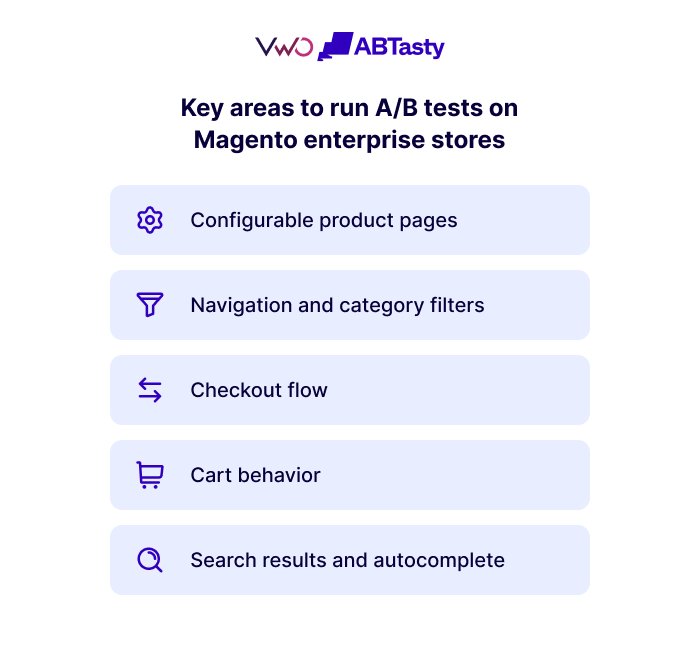
Key areas to run A/B tests on Magento stores and improve customer experience
Since Magento has a template-driven architecture, changes made to high-traffic templates (product page, category page, or checkout) can affect a large section of visitors at once.
Configurable products are a native Magento feature, and they offer more options to run experiments than standard product pages.
How product options are presented (color, size, type of material)
Messaging and navigation for out-of-stock variants
User behavior on image galleries
Add-to-cart button placement relative to pricing and reviews
Even small changes can meaningfully affect which products visitors interact with and whether they add them to their carts, resulting in better customer engagement.
Navigation and category filters
Category filters are possibly the least tested among other elements, despite the volume.
The order in which filters are presented, whether they expand or collapse by default, and how page layouts are displayed all influence how visitors navigate the catalog.
For stores with large catalogs, improvements at this stage can offer useful learnings and meaningful wins.
Checkout flow
The checkout flow in Magento consists of several well-defined steps, including address entry, shipping selection, and payment.
Testing different versions at each of these steps offers crucial testing opportunities that can help enterprise brands understand which changes drive the highest checkout completion rates.
This is a huge amount of potential revenue that is lost for reasons often within the control of enterprise brands.
Tests run on Magento product carts typically focus on cross-sell placement, how coupon fields are surfaced, or how and where shipping estimates are displayed.
Looking for ways to reduce cart abandonment? This free eBook offers a practical roadmap to getting more users to complete the buying journey on your website.
Search bar and autocomplete
Pages with search bars are worth prioritizing for testing, particularly for stores with large catalogs.
This is because the default sort order of displayed results and the promoted products often drive a significant chunk of business.
Factors like how autocomplete suggestions drive product discovery, which suggestions appear, and how users are guided to relevant products are worth testing.
Running more experiments isn’t simply a matter of having ideas—it’s a matter of having the resources to execute them. Organizations that dedicate design and development capacity to experimentation consistently achieve greater testing velocity and stronger optimization outcomes than those relying on shared teams.
Garret Cunningham, Director of Global Optimization, Columbus Global
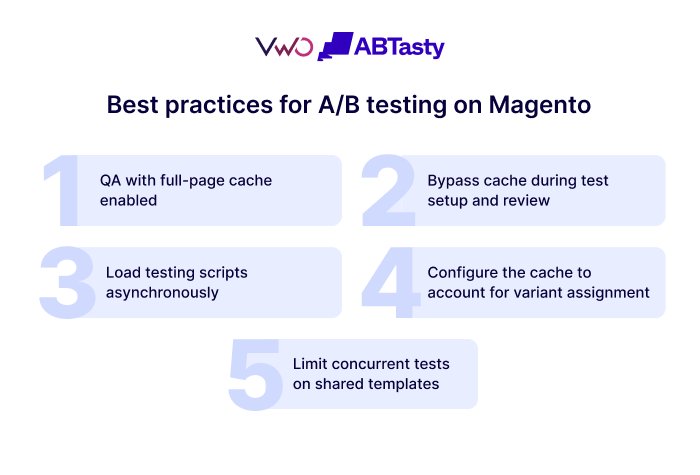
Test on a staging environment that mirrors your production caching configuration, not just your codebase.
A test that might look clean on an uncached staging instance can behave entirely differently once full-page cache is active.
Before any test goes live, verify variant delivery with FPC enabled across multiple browsers and devices.
2. Bypass the cache during test setup and review
Disable full-page cache for your own account during test setup and review. The most common approach is enabling Magento’s built-in developer mode, which disables FPC entirely.
For production spot-checks without taking the site out of production mode, teams use an IP-based bypass or a custom cookie that Varnish is configured to pass through.
Without it, your quality check is against cached pages and may miss delivery or flicker issues entirely.
3. Load testing scripts asynchronously
Load your testing tool’s script asynchronously, but ensure that it is paired with a pre-hiding snippet placed high in the <head> tag.
While async loading alone reduces render-blocking, it also means the script loads later, which widens the flicker window.
The pre-hiding snippet suppresses page content until the variant is ready, which is what actually eliminates flicker. VWO ABTasty supports both.
4. Configure the cache to respect the variant assignment
Ensure your cache configuration accounts for variant assignment.
If Varnish or FPC isn’t configured to respect the cookie your testing tool uses for bucketing, visitors will be reassigned to different variants across sessions.
This causes data inconsistency in Magento test analytics.
5. Limit concurrent tests on shared templates
Limit the number of concurrent tests on high-traffic shared templates, such as category filters or checkout.
Also, running multiple tests simultaneously can make it difficult to determine which changes impacted the results.
Common challenges faced while running A/B testing on a Magento store
1. Cache invalidation disrupts test variations
When Magento’s full-page cache is cleared (during a deploy, a scheduled flush, or a product update), visitors who were already assigned to a variant can lose that assignment.
Ensure your testing tool stores variant assignments in a persistent first-party cookie, and configure your cache to vary responses based on it.
2. Flicker on client-side test delivery
Client-side testing tools load after the cached HTML has rendered, causing the original page to flash briefly before the variant appears.
The most effective way to avoid the flicker effect is to place your testing tool’s snippet as high in the <head> as possible and to use a pre-hiding snippet to suppress content until the variant is ready.
VWO AB Tasty’s Magento integration is built to handle this challenge. Its SmartCode implementation minimizes render-blocking and, when paired with the pre-hiding snippet, eliminates perceptible flicker in standard deployments.
3. Tests surfacing across multiple storefronts
Tests configured at the global scope in Magento unintentionally surface across storefronts.
When setting up an A/B test, scope every test to a store view, and validate that variant delivery is isolated before going live.
4. Ending tests early
Although Magento’s caching complexity makes it tempting to call a test early when results look promising, this can lead to premature decisions based on short-term changes.
Teams must set a threshold for statistical significance and ensure that there is sufficient data across a good sample size before ending a test.
Pro Tip!
Generate high-impact ideas for your next experiment with Wandz, VWO AB Tasty’s agentic optimization system. Just prompt Wandz to get test ideas tailored to your specific business goals, pages, elements, or user segments, and save hours of endless back-and-forth with the team.
Tools for Magento enterprise A/B testing
Since Magento A/B testing comes with specific challenges, it requires a dedicated tool that can manage variant delivery, visitor bucketing, and result tracking while working around a caching layer not designed for experimentation.
The tools below are the most commonly used in enterprise Magento environments.
1. VWO AB Tasty
VWO AB Tasty integrates with Magento 2 via its SmartCode, which can be added directly through the Magento admin panel.
VWO AB Tasty also enables you to gather qualitative data through heatmaps, session recordings, and funnel analysis to help teams gain valuable insights and build data-backed hypotheses.
For teams that need it, VWO AB Tasty also supports server-side experimentation, enabling you to run tests deeper in the stack without relying on client-side script delivery.
Moreover, VWO AB Tasty’s SmartCode can be configured per store view, enabling enterprises to scope tracking and experiment delivery to a specific storefront rather than applying them globally across their entire Magento instance.
VWO AB Tasty also integrates with Google Analytics, so teams can analyze results against existing analytics data.
Pricing: 30-day free trial. Customized pricing options based on your requirements.
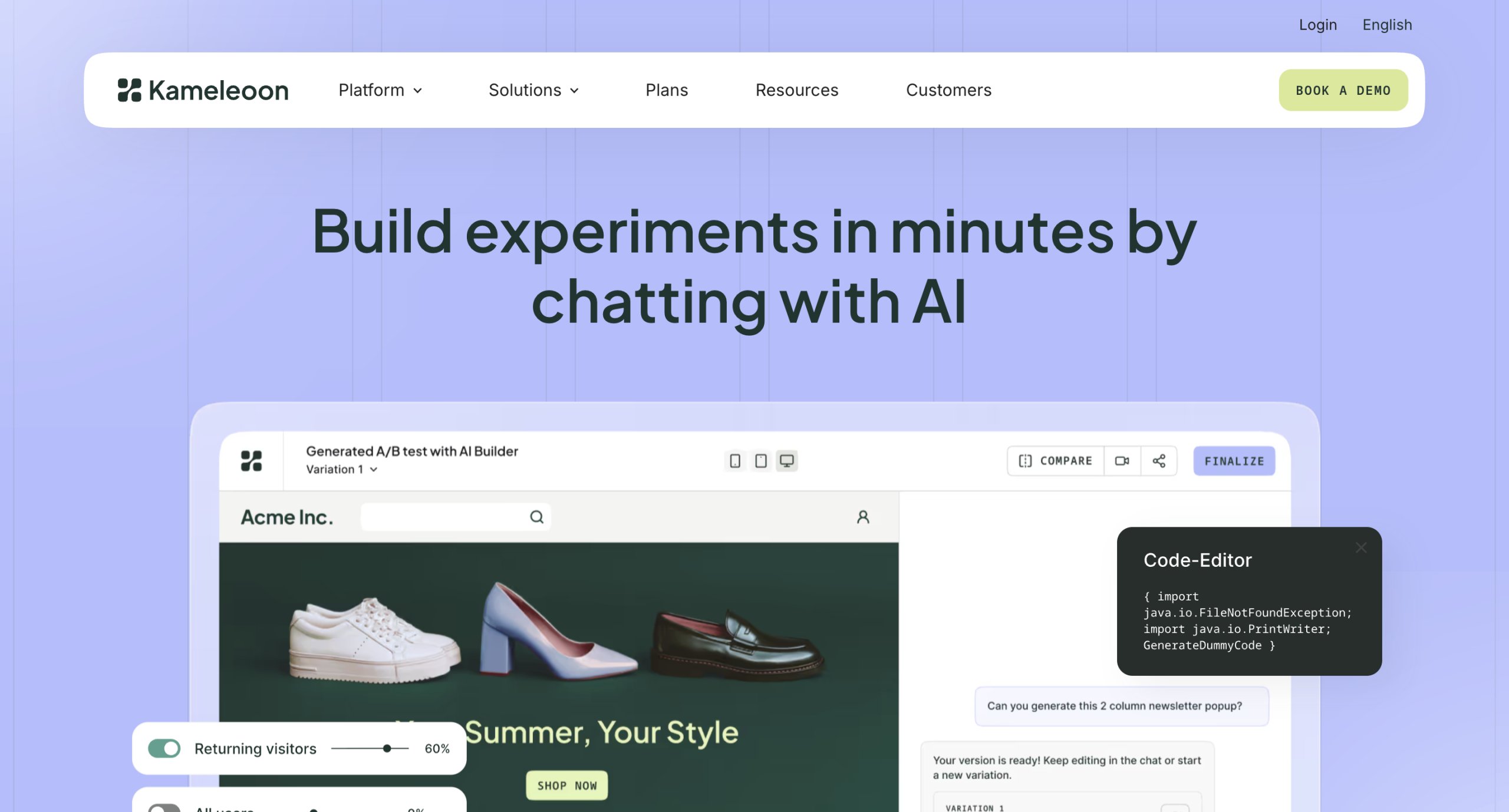
2. Kameleoon
Kameleoon is a popular A/B testing platform that teams choose to run experiments on heavily cached Magento stores.
It handles variant assignment earlier in the request cycle than client-side tools, making it a practical option when cache configuration alone isn’t enough to ensure consistent results.
Kameleoon is worth evaluating if your testing program runs at high traffic volumes or relies heavily on personalization at scale.
Pricing: The free plan is limited to 3 experiments, while paid plans start at $495 per month.
3. Optimizely
Optimizely is commonly used in enterprise environments where experimentation runs across multiple teams simultaneously.
Beyond A/B testing, it covers content management and personalization within a single platform.
Optimizely offers client-side testing along with server-side testing, so teams enjoy the flexibility of implementing experiments as per their requirements.
Pricing: Custom-based pricing, no free trial.
Magento A/B testing use cases to improve customer satisfaction
Unlike eCommerce platforms where checkout is largely fixed, Magento gives enterprise teams meaningful control over how each step is presented, sequenced, and weighted.
Changes to payment method options, presentation of shipping details, or the visual hierarchy of the order summary can have a huge impact on the buying journey.
Homepage and promotional campaigns
Some high-leverage experiments for the homepage include testing the first fold, the sequencing of promotional banners during sale events, and the presentation of personalized recommendations to returning visitors.
Magento stores running multiple storefronts can use these tests to compare what works across different regions or brands.
“For enterprise businesses, the biggest challenge isn’t usually a lack of data—it’s securing alignment across teams. Building stakeholder trust and gaining the right support are essential for creating a successful experimentation program. Ultimately, the impact of your testing efforts depends on the people and resources behind them.”
The order confirmation page test is one of the most underleveraged tests in Magento.
Cross-sell placement or tests on the account dashboard flow can increase revenue from customers who’ve already converted once and are most likely to do so again.
B2B buying flows
Magento’s native features include the quote request process and requisition list layout.
Also, the way shared catalog pricing is presented to company accounts is worth experimenting with.
In B2B, a confusing quote request flow or unclear shared catalog pricing can stall deals that are already in motion.
Building a reliable testing program for Enterprise Magento stores
Magento’s architecture rewards teams that set up their testing infrastructure correctly from the start.
The stores that run experiments well on Magento treat configuration and QA as part of the overall testing program.
Also, before the test is run, teams must identify the key metrics to target, such as conversion rates, bounce rates, time spent on page, and average order value.
Once that foundation is in place, the opportunities for testing across product pages, checkout, B2B flows, and post-purchase are substantial.
Looking to get your Magento experimentation program off the ground or improve the reliability of tests you’re already running?
Schedule a demo to see how you can seamlessly integrate your Magento store with VWO AB Tasty’s comprehensive suite of optimization capabilities.
Frequently asked questions (FAQs)
Q1. What can you test in Magento Enterprise stores?
You can run A/B tests on high-traffic templates such as configurable product pages, layered navigation and category filters, checkout steps, cart behavior, search results, and B2B-specific flows like quote requests and shared catalog presentation. Post-purchase pages and account dashboards are also worth prioritizing, given the intent of the visitors who land on them.
Q2. Which tools are best for Magento enterprise A/B testing?
VWO ABTasty integrates directly with Magento 2 via SmartCode, making it well-suited for enterprise setups with multiple storefronts. Kameleoon is worth evaluating for high-traffic stores where consistent variant delivery on heavily cached templates is a priority. Optimizely suits enterprise teams that want A/B testing, content management, and personalization within a single platform.
Q3. Can Magento Enterprise A/B testing affect site performance?
Yes, if the testing tool’s script is loaded synchronously or isn’t implemented correctly. Loading scripts asynchronously and placing them near the top of the <head> keeps the performance impact minimal. Running too many concurrent tests on shared templates can also magnify this.
Q4. Why does A/B testing matter for Magento Enterprise stores?
Enterprise Magento stores typically run large catalogs, complex checkout flows, and high traffic volumes. These are conditions in which even small improvements in conversion rates can translate into meaningful revenue gains.
Hi, there! I’m an Associate Manager of Content at VWO with 6 years of experience in B2B and B2C marketing. I work across blogs, SEO, thought leadership, newsletters, landing pages, and a video podcast I built and manage from scratch. At VWO, I’ve gained expertise in CRO, experimentation, user behavior research, and personalization, creating content that makes complex ideas clear and actionable. Outside of work, I enjoy experimenting with memes and short-form video on Instagram.
Uncover hidden visitor insights to improve their website journey
One of our representatives will get in touch with you shortly.
Awesome! Your meeting is confirmed for at
Thank you, for sharing your details.
-
, you're all set to experience the VWO demo.
I can't wait to meet you on at
Account Executive
, thank you for sharing the details. Your dedicated VWO representative, will be in touch shortly to set up a time for this demo.
We're satisfied and glad we picked VWO. We're getting the ROI from our experiments.
Christoffer Kjellberg
CRO Manager
VWO has been so helpful in our optimization efforts. Testing opportunities are endless and it has allowed us to easily identify, set up, and run multiple tests at a time.
Elizabeth Levitan
Digital Optimization Specialist
As the project manager for our experimentation process, I love how the functionality of VWO allows us to get up and going quickly but also gives us the flexibility to be more complex with our testing.
Tara Rowe
Marketing Technology Manager
You don't need a website development background to make VWO work for you. The VWO support team is amazing
Elizabeth Romanski
Consumer Marketing & Analytics Manager
Trusted by thousands of leading brands
Awesome! Your meeting is confirmed for at
Thank you, for sharing your details.
Your Roadmap to Better Results
1:1 Demo customized to your industry and optimization goals.
Feature deep-dive into the user behaviour tools you need most.
No-pressure advice on the best path forward for your team.





 ChatGPT
 Perplexity
 Gemini
 Claude
 Grok
Grok










![20 Best Shopping Cart Abandonment Tools in 2026 [Expert-Reviewed Solutions]](https://static.wingify.com/gcp/uploads/sites/3/2025/02/Feature-image-20-Best-Shopping-Cart-Abandonment-Tools_-Reduce-Abandoned-Carts-Effectively.jpg?tr=w-300,h-150)