DE
DE
 BR
BR




 ChatGPT
 Perplexity
 Gemini
 Claude
 Grok
Grok
Churn Survey: Examples, Tips & Templates for Better Retention
Think of the last time you canceled a subscription.
Maybe you clicked “Delete Account” and moved on without saying a word.
Or the last time you stopped shopping at a favorite store because the experience felt off: long delivery times, missing sizes, or poor service at checkout.
Now imagine if those brands had simply asked, “What made you decide to leave?”; and then actually listened.
Here’s the thing: Up to 80% of customers return when their issue is resolved quickly.
Yet, most companies never even ask what went wrong.
That’s where a churn survey makes all the difference. It catches customers in that fleeting moment before goodbye, turns frustration into feedback, and transforms that feedback into smarter customer retention moves.
In this guide, we’ll show you how to design churn surveys that go beyond surface-level data, uncovering the real reasons behind cancellations and helping you turn every “goodbye” into a second chance.
What is a churn survey?
A churn survey (also called an exit survey/customer churn survey/cancellation survey) is a short feedback form sent to customers when they cancel, downgrade, or stop using your product or service. Its goal is to uncover why users are leaving and what can be improved for your existing customers.
Unlike generic satisfaction surveys, a churn survey focuses on understanding the specific causes of customer attrition. When paired with metrics that help you calculate customer churn rate, it offers a complete view of why customers leave and how to prevent it.
In that sense, it acts as an early-warning system: spotlighting churn patterns before they become business-wide trends.
Benefits of churn surveys
A well-designed churn survey does more than explain why customers leave; it equips you to keep the rest from following and win back lost customers.
Regularly analyzing churn surveys turns them into a powerful retention engine that links customer feedback directly to product, pricing, and support decisions, helping you reduce your overall customer churn rate.
Here are the key benefits of running churn surveys:
- Identify root causes of churn: Instead of relying on assumptions, churn surveys reveal what truly drives cancellations: whether customers found the product hard to use, too expensive, or frustrated by poor customer service.
- Prioritize retention actions: Seeing recurring themes in responses helps you zero in on high-impact fixes, like simplifying onboarding if many say they struggled to get started.
- Enhance product and experience design: Exit feedback often points out feature gaps or usability issues that analytics alone can’t capture. These insights can shape your roadmap, refine UX, and improve value delivery.
- Refine pricing and packaging: Frequent “too expensive” feedback signals a value gap, not just a price issue. Revisit your pricing strategy, add flexible options, and communicate your product’s ROI more effectively.
- Inform customer success strategy: When your team understands why people leave, they can anticipate those challenges and proactively reach out to at-risk users before they churn, turning feedback into preventive action.
- Close the feedback loop: Asking for feedback at the point of cancellation sends a powerful message: that their experience still matters. When you act on that feedback, it strengthens brand trust and often re-opens the door for future re-engagement.
When should you use a churn survey?
The best feedback often comes at the right moment, and timing is everything in churn surveys. Ask too soon, and customers may not have formed a complete opinion. Ask too late, and the opportunity to learn from them is already gone.
Here are the best moments to use a churn survey:
- At the point of cancellation or downgrade: This is your “golden window.” The experience is still fresh, and a short, polite survey embedded in the cancellation flow captures honest, in-the-moment feedback.
- Shortly after churn: If you can’t place the survey directly in the cancellation flow, follow up within a few days. A friendly note like, “We’d love to know what we could’ve done better,” often gets thoughtful responses.
- When engagement starts to dip: A noticeable fall in logins, session length, or activity levels often signals that users are beginning to disengage. Triggering a quick “pre-churn” survey at this stage can help you understand what’s going wrong and fix it before customers leave.
- After major updates or pricing changes: If you’ve recently made product or pricing changes and notice a spike in churn, surveys can help you understand what didn’t resonate and why, and how to course-correct.
- For specific customer segments: High-churn groups (like new users, trial accounts, or a certain plan tier) can be targeted with tailored churn surveys to uncover segment-specific friction points.
- As part of a regular retention check-in: Running periodic churn assessments helps you spot evolving patterns and measure whether your retention efforts are actually paying off.
Once you know when to ask, the next step is learning how to create a churn survey that delivers genuine, actionable insights.
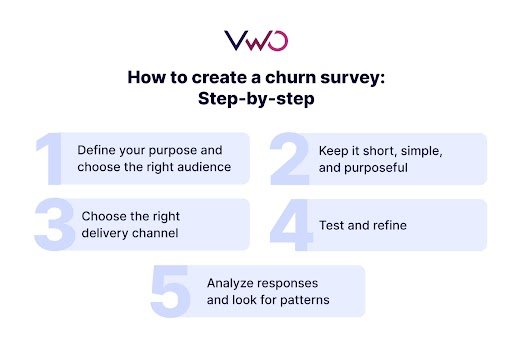
How to create a churn survey: Step-by-step
A churn survey is your chance to have one last, honest conversation with your customer- one that can turn parting feedback into future improvement.
Let’s walk through the steps to create a churn survey that actually gets you insights worth acting on.
Step 1: Define your purpose and choose the right audience
Start by clarifying what you want to learn and who you want to ask. Are you trying to understand why premium users downgrade? Why do trial users not convert? Or what’s driving cancellations overall?
Getting specific about your objective helps you tailor the survey questions and tone to match that audience.
With VWO Surveys, you can create and launch targeted churn surveys directly inside your product or website, without any code.
You can then decide exactly who sees your churn survey and when. Choose from 20+ ready-to-use visitor segments, like landing page, browser type, or visitor status, or create advanced custom segments for deeper targeting.
Then time your surveys right using six built-in behavior-based triggers, including time on page, scroll depth, exit intent, element clicks, page views, and CRM events. These triggers ensure feedback is captured at the most contextual and meaningful moments.
Step 2: Keep it short, simple, and purposeful
Remember: customers filling out a churn survey have already decided to leave. Respect their time. Limit the form to 3–5 purposeful questions, written in simple, direct language that avoids fatigue.
Strike a balance between quantitative (multiple-choice or rating-scale) and qualitative (open-ended) questions. The former helps identify trends and patterns, while the latter captures emotional nuances and true levels of customer satisfaction.
You can also use VWO’s survey logic and conditional branching to personalize question flow and dig deeper into specific responses. For example, if someone chooses “Too expensive,” show a follow-up like “What pricing model would have worked better for you?” to uncover more actionable insights.

Choose from preset goals or define your own, and VWO Copilot will automatically generate focused, goal-aligned questions: easy to edit, refine, or regenerate until they perfectly fit your intent.
Step 3: Choose the right delivery channel
Decide where and how your churn survey appears:
- In-app or on-site survey during cancellation-> captures immediate feedback.
- Email survey within a few days-> ideal if your product doesn’t have an in-app flow.
- Pop-up or chat-based survey-> works well for service cancellations or ecommerce experiences.
Keep the format mobile-friendly and frictionless: one click should start and finish the survey.
Step 4: Test and refine
Before full deployment, test your churn survey to ensure it’s easy to understand, engaging to answer, and optimized for completion. Compare different versions of your survey, varying elements like layout, triggers, or messaging, to find which version drives higher participation and more reliable insights
Step 5: Analyze responses and look for patterns
Once you collect enough responses, organize them by theme: cost, product usability, support, onboarding, etc. This structured customer churn analysis helps identify recurring issues and systemic patterns.
VWO Copilot makes this analysis effortless with AI-driven analysis. It automatically summarizes your survey data, surfaces key insights, and delivers actionable recommendations, from product tweaks to messaging adjustments, so you can act on insights, not just observe them.
Up next: learn how to translate churn survey insights into retention action, from spotting early warning signs to re-engaging lost users effectively.
How to use your churn survey results
Collecting responses is just the start. The real goal isn’t just to understand why customers left, it’s to make sure fewer leave for the same reason again and strengthen customer loyalty.
Identify and address key churn drivers
- Spot recurring themes: Go through the feedback to find repeating patterns: maybe customers mention a difficult onboarding process, missing functionality, or poor customer support. These are your starting points for change.
- Segment your findings: Break down churn data by customer type: for example, by industry, pricing tier, or tenure. This helps reveal which groups are more likely to leave and why, so you can tailor retention strategies for each.
- Review product usage data: Combine survey feedback with behavioral data from VWO Insights tools like heatmaps and session recordings.. Behavioral insights, such as rage clicks, repeated interactions, or drop-offs, show where users struggle.
Product usage trends from analytics tools can reveal declining engagement or low adoption of core features. This way, you’ll spot early signs that customers are losing value or struggling with your product.
Implement proactive retention actions
- Launch focused engagement initiatives: Use what you’ve learned to build targeted programs. If customers find onboarding confusing, create guided walkthroughs, quick-start tutorials, or one-on-one success sessions to smooth the learning curve.
- Automate timely interventions: Create triggers that spot early churn signals, such as inactivity or lack of feature adoption. Use these cues to send an automated nudge: a short email, tutorial, or check-in, before disengagement becomes churn.
- Feed insights into your product roadmap: Pass clear, aggregated feedback to your product team so they can prioritize the most requested improvements. Whether it’s adding a missing integration or simplifying navigation, these are the fixes that directly impact retention.
- Refine your marketing and messaging: When churn feedback points to a gap between customer expectations and experience, it’s time to fine-tune your story. Refine your messaging and campaigns to focus on customers who truly benefit from your product’s core value.
Then, with VWO Personalize, you can act on these insights, delivering tailored experiences or messages that proactively engage users and prevent future churn.
Churn survey best practices
A churn survey works best when it feels natural to the customer and purposeful to you. Below are some best practices to make your churn surveys more effective and empathetic:
- Keep it short: Limit the survey to 3–5 focused questions to respect your customer’s time.
- Ask with intent: Use straightforward, goal-driven questions that dig into the actual cause, not surface-level feedback.
- Offer relevant options: Include realistic reasons for churn and an “Other” field for unlisted ones.
- Mix formats: Combine multiple-choice questions for trends with open-ended ones for context.
- Use a neutral tone: Keep your wording calm, empathetic, and free of blame.
- Send it at the right time: Trigger the survey at cancellation or shortly after churn for accurate insights.
- Add skip logic: Personalize follow-up questions based on the user’s selected reason.
- Act on feedback: Implement changes and communicate updates so customers feel heard.
- Review regularly: Refresh questions and options as your product and audience evolve.
- Pair with analytics: Combine survey insights with behavior data for a complete churn picture.
Best churn survey questions to ask
The right churn survey questions help you move beyond surface-level reasons and uncover what truly drives customers to leave.
Here’s a categorized list of practical questions you can adapt based on your business type and churn triggers.
Pricing and value perception
- What’s the primary reason you decided to cancel or stop using our product?
- Do you feel our pricing reflects the value you received?
- Did you find our pricing plans and billing details easy to understand?
- Would a different plan or flexible pricing model have encouraged you to stay?
If pricing concerns dominate, revisit your pricing communication or offer flexible plans that match user value perception.
Product performance and satisfaction
- Were there any features you needed but couldn’t find?
- Which features didn’t meet your expectations?
- How would you rate the product’s reliability and ease of use?
- What’s one thing we could do to improve your experience?
Use this feedback to reveal usability issues, missing capabilities, and improvement priorities for your roadmap.
Customer support experience
- How would you rate our team’s responsiveness and problem-solving?
- Did we address your issue fully and on time?
- Did you feel supported throughout your experience?
- Did we address your issue fully and on time?
Spot patterns of poor customer support to train your team for proactive, empathetic communication and quicker resolutions.
Onboarding and first-time experience
- How easy was it to get started with our product?
- Did our onboarding materials help you understand key features?
- Were there any unclear steps or challenges early on?
Simplify your onboarding journey with walkthroughs, contextual tips, and personalized support.
Alternatives and competition
- Which competitor or alternative did you consider switching to?
- What made their offering more appealing?
- How does their pricing or feature set compare to ours?
Benchmark against competitors and refine your positioning to highlight your strengths.
Product-market fit
- How well did our product meet your goals or workflows?
- Did it integrate smoothly with your existing tools?
- What could we have done to make it a better fit for you?
Refine targeting, messaging, and integrations to attract better-fit customers.
User experience and overall satisfaction
- Was the interface intuitive and easy to navigate?
- Did you experience any bugs, crashes, or loading delays?
- On a scale of 1–10, how would you rate your overall experience with us?
- Would you consider returning if we made certain improvements?
- Anything else you’d like to share before you go?
Simplify navigation, improve performance, and continuously test your UX for friction points.
Churn survey examples
Different industries use churn surveys in their own way, but the goal is always the same: to understand why customers leave and turn that insight into retention action. Here’s how companies across sectors typically approach it.
1. SaaS companies (B2B & B2C)
SaaS brands can include a short, two-step exit survey, a multiple-choice reason for leaving, followed by an optional comment box.
Based on responses, they may trigger smart actions like offering discounts for price concerns or highlighting upcoming features for “missing functionality.”
This quick, contextual approach keeps feedback relevant and helps product teams act fast on churn insights.

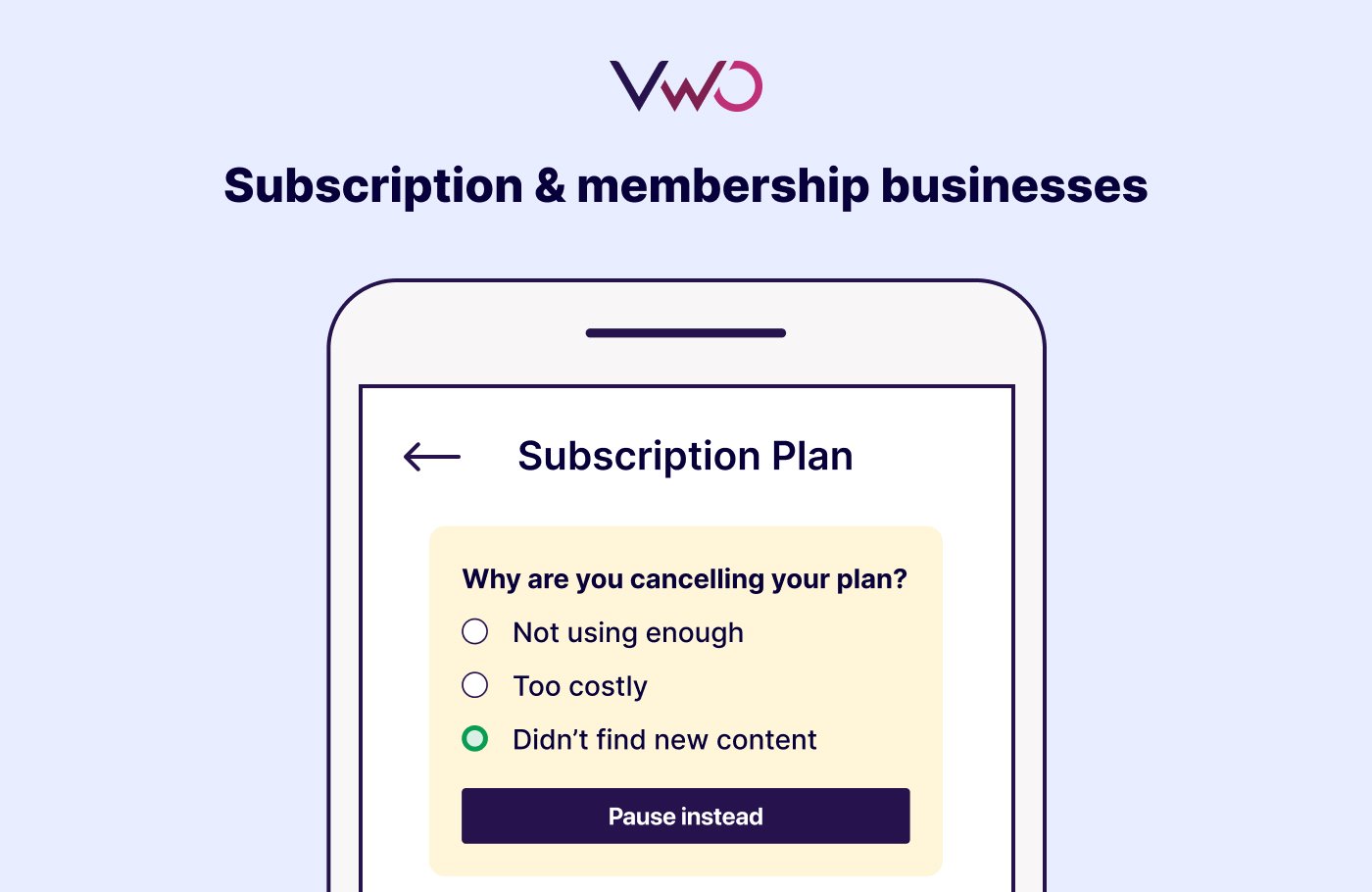
2. Subscription & membership businesses
Streaming, wellness, and digital learning platforms can use short, in-app exit surveys triggered right at the cancellation point.
The survey might include options such as “Not using enough,” “Too costly,” or “Didn’t find new content.”
Depending on the customer’s choice, the brand can respond dynamically, offering to pause the plan, switch to a lighter option, or suggest new content to rekindle interest.
This approach helps reduce impulsive cancellations and encourages re-engagement through timely, personalized alternatives.
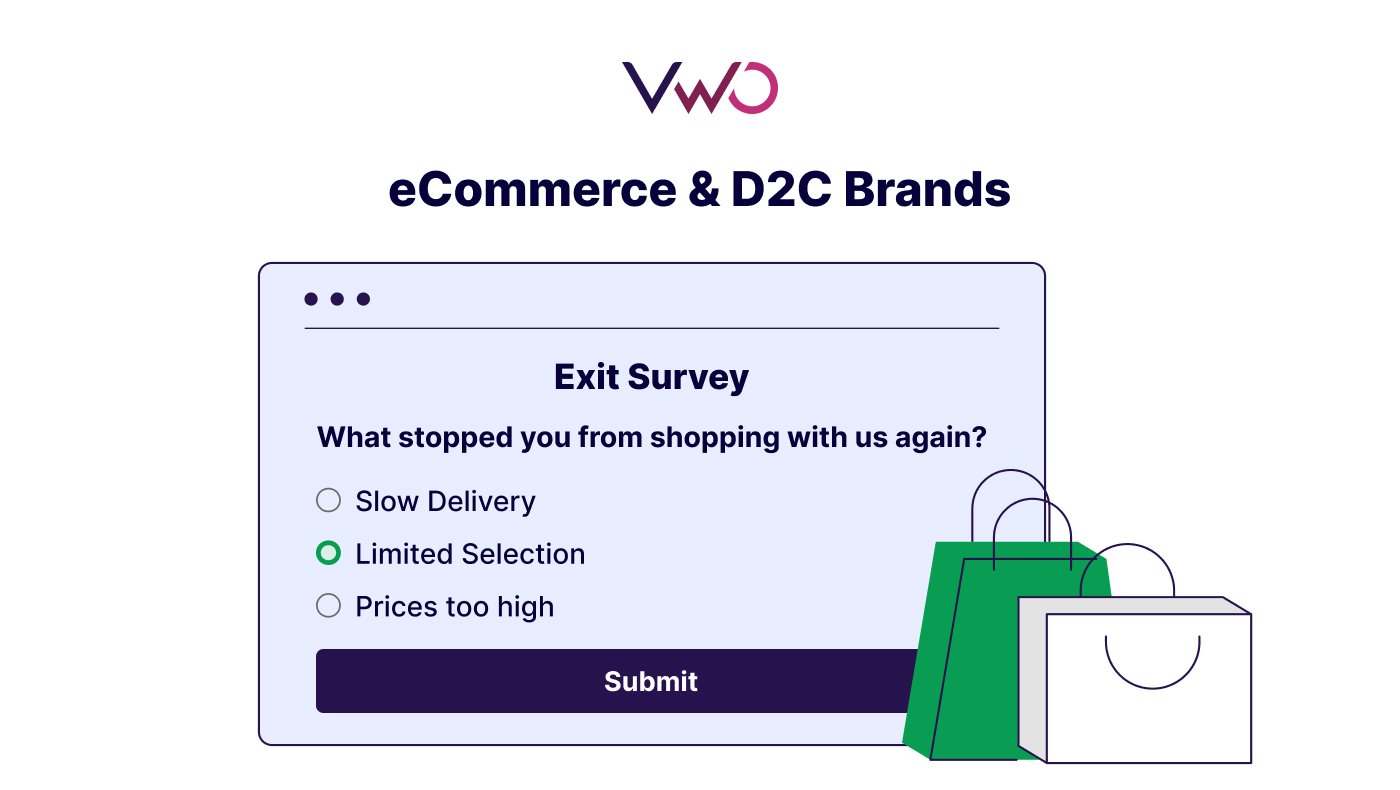
3. eCommerce & D2C brands
Retail and consumer brands can use churn surveys to re-engage inactive shoppers before they drift away completely.
For instance, they might send a short post-purchase or “We miss you” survey asking: “What kept you from returning to shop with us?”
Customer responses could reveal issues like slow delivery, limited variety, or pricing gaps.
These insights can then be linked with purchase data to predict disengagement risks and trigger timely retention offers or personalized campaigns.
4. B2B service or consulting firms
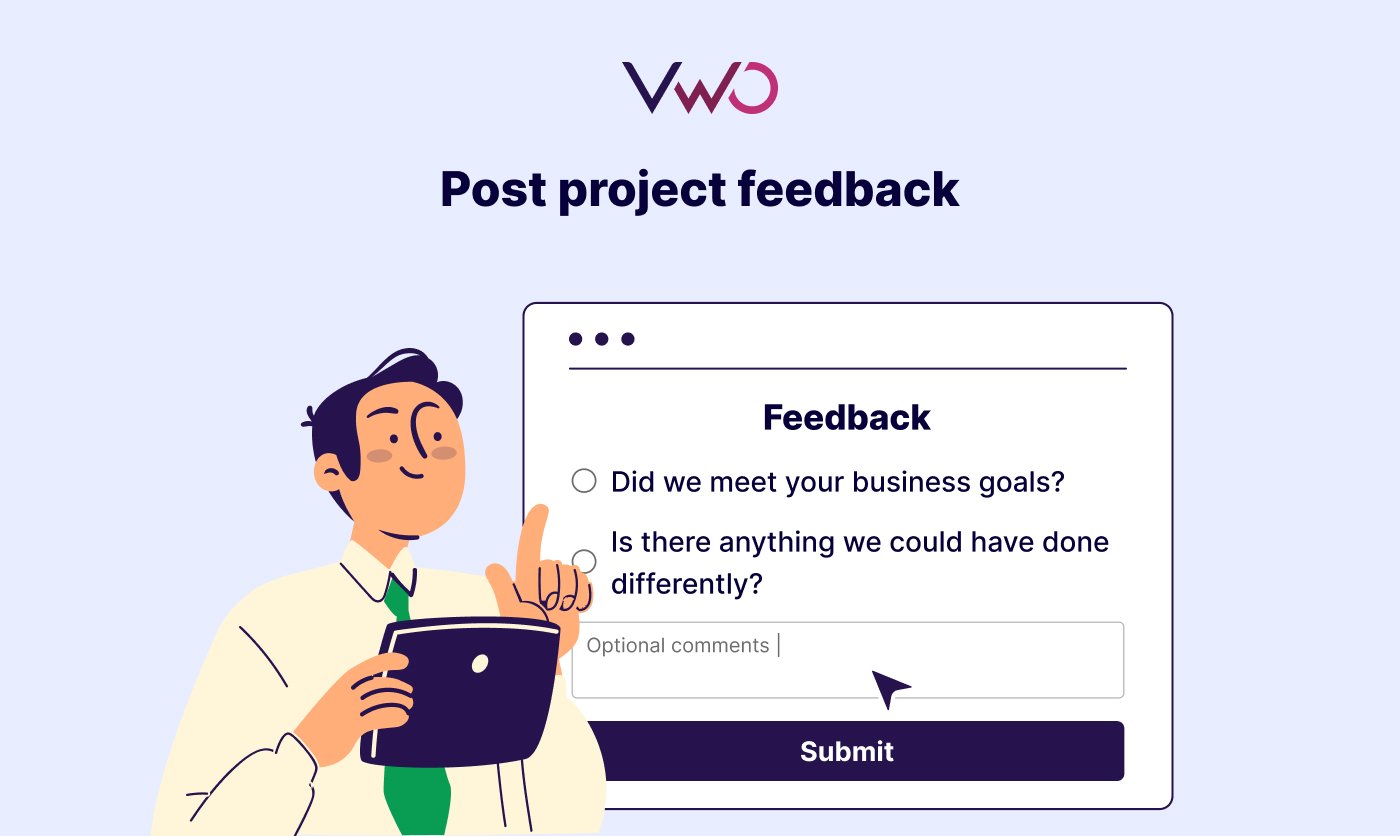
Professional service firms can send offboarding surveys at the end of a project or contract.
These surveys, framed in a professional yet relationship-focused tone, might ask questions like: “Did we meet your business goals?” or “Is there anything we could have done differently?”
Insights from these surveys can then be discussed during client review meetings to refine delivery processes, communication cadence, and reporting standards, ultimately strengthening long-term partnerships and retention.
6. Financial & fintech platforms
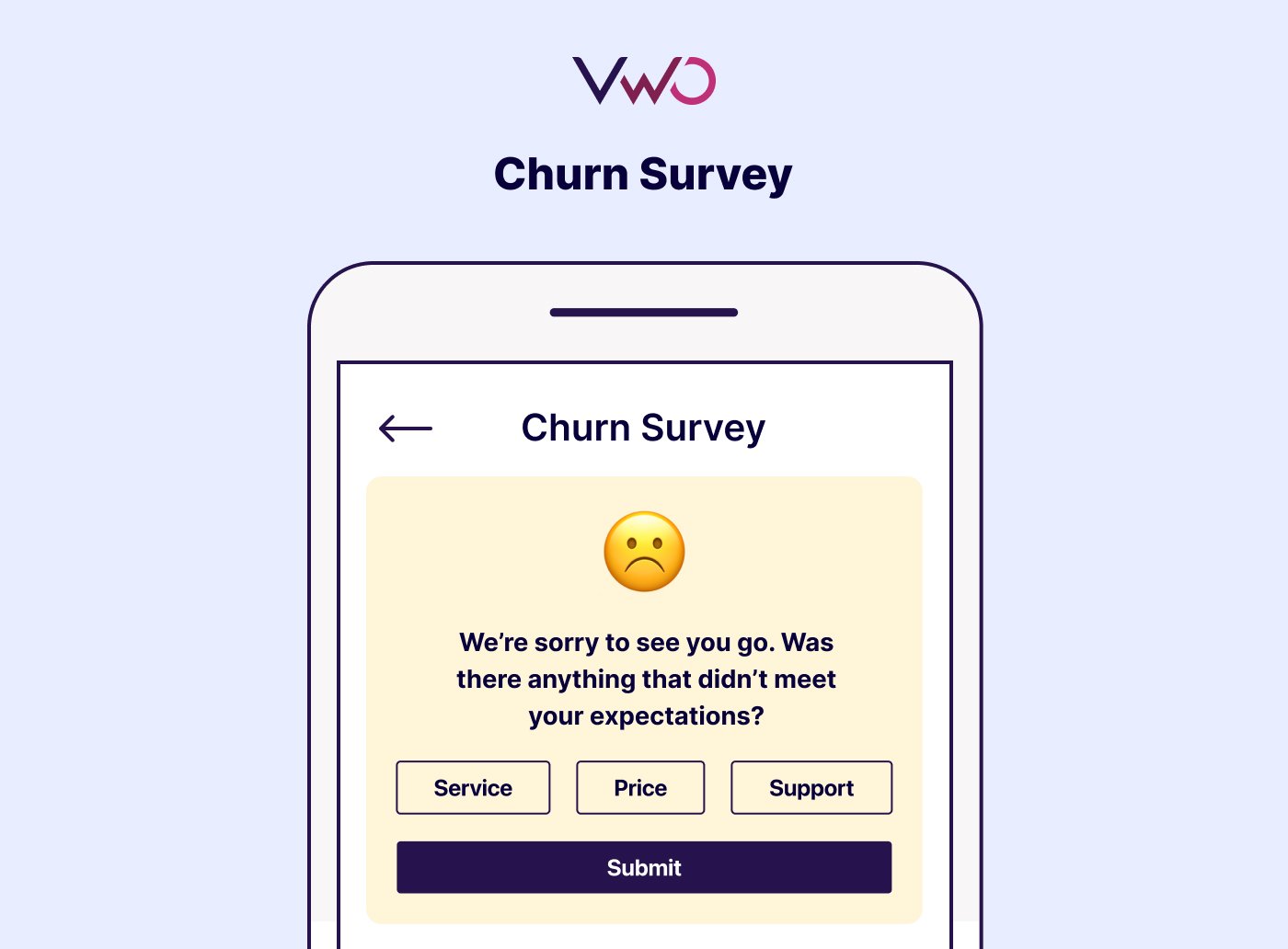
Fintech companies could approach churn surveys with extra care, given how much trust and security shape user relationships.
For instance, a post-cancellation survey might gently ask: “We’re sorry to see you go: was there anything about our service, pricing, or support that didn’t meet your expectations?”
This feedback can be used to refine onboarding education, improve pricing clarity, and identify where user trust may have eroded.
Churn survey templates
Churn surveys can be simple one-pagers or multi-step forms, depending on how much feedback you want to capture.
Below are practical customer churn survey templates you can adapt for different churn scenarios: from quick exits to detailed feedback collection.
Template A: Brief “Exit Now” Survey
Trigger: A customer actively cancels/subscribes elsewhere in the cancellation flow.
Intro text: “We’re sorry to see you go; one quick question helps us improve.”
Q1 (MCQ): “What is the primary reason you’re cancelling today?”
Options:
- The price
- Missing features
- Found a better alternative
- Lack of use
- Other (please specify)
Q2 (Open-ended): “If you could change one thing about our service, what would it be?”
Closure: “Thank you for your time; your feedback means a lot.”
Template B: “Discount/Promotion Ended” Survey
Trigger: Cancellation shortly after a trial or promotional discount has expired.
Intro text: “We noticed a recent offer ended — your feedback will help us shape future offers.”
Q1 (MCQ): “Did you cancel because the discount ended?”
Options:
- Yes – price too high now
- There were other reasons
- I didn’t realize the offer ended
- Other (please specify)
Q2 (Open-ended): “What type of pricing/offering would have kept you on board?”
Closure: “Thanks; your insights help us make smarter offers in the future.”
Template C: “Feature Gap or Fit” Survey
Trigger: Occurs when users cancel owing to gaps in features or product relevance.
Intro text: “Thanks for being with us. Before you leave, we’d like to learn how we fell short.”
Q1 (MCQ): “Which missing or inadequate feature influenced your decision most?”
Options:
- Integration with other tools
- Advanced analytics/reporting
- Customization options
- Support/service level
- Other (please describe)
Q2 (Open-ended): “How important was this feature to your workflow, and what would have changed your mind to stay?”
Closure: “We appreciate your input; it helps us build what you need next.”
Template D: “Low Usage / Pre-Churn” Survey
Trigger: Customer hasn’t used the product/service for a set period, and you want to intervene before actual cancellation.
Intro text: “It looks like you haven’t been active lately. Could you share what we can do to serve you better?”
Q1 (MCQ): “What’s the main reason you haven’t used [product/service] much lately?”
Options:
- Time constraints
- Didn’t find what I needed
- The setup was too complex
- Switched focus
- Other (please explain)
Q2 (Open-ended): “What could we do now to help you get value from our service again?”
Closure: “Thanks for sharing — we’d love another chance to support you.”
Template E: “Service/Contract End” Survey (B2B/Services)
Trigger: A contract ends, or the client opts not to renew.
Intro text: “Thank you for your partnership. As our contract concludes, we’d value a minute of your feedback.”
Q1 (MCQ): “What was the main reason you decided not to renew?”
Options:
- Budget constraints
- Value didn’t meet expectations
- Service misalignment
- Found alternative
- Other (please specify)
Q2 (Open-ended): “What could we have done differently to continue our engagement?”
Closure: “Your candid feedback helps us serve future clients better.”
VWO offers multiple ready-to-use survey templates designed for every use case. Take a free trial to explore them and see how you can create, customize, and optimize surveys to strengthen customer retention across every touchpoint.
FAQs
A churn survey is a short feedback form sent to customers who cancel, downgrade, or stop using your product or service. It helps identify why they’re leaving: from pricing and product fit to service or experience gaps, so you can take action to improve retention.
Absolutely. You can tailor questions, tone, and format to your brand and audience. Most teams customize based on churn type, for example, separate surveys for trial users, subscribers, or long-term customers.
Yes, in business-to-business scenarios, churn surveys commonly cover topics like value outcomes, ROI, interaction quality, and goal alignment. For example:
“Did our solution meet the business goals we discussed at the start?”
“What could we have done differently to continue our engagement?”
The best time is immediately after cancellation or non-renewal, while the experience is fresh. You can also trigger pre-churn surveys for inactive users to gather feedback before they leave entirely.
Absolutely. You can tailor questions, tone, and format to your brand and audience. Most teams customize based on churn type, for example, separate surveys for trial users, subscribers, or long-term customers.
Categories:




![What Is Net Promoter Score (NPS)? How to Measure and Use It [Complete Guide]](https://static.wingify.com/gcp/uploads/sites/3/2025/11/Feature-image-What-Is-Net-Promoter-Score-NPS_-How-to-Measure-and-Use-It-Complete-Guide-1.jpg?tr=h-600)