DE
DE
 BR
BR





 ChatGPT
 Perplexity
 Gemini
 Claude
 Grok
Grok
Preventing Feature Release Failures: Examples, Patterns, and Checkpoints
If you are building digital products, feature failure is the norm rather than the exception. According to Pendo’s Feature adoption report, roughly 80% of shipped software features are rarely or never used after launch. This suggests that most feature releases fail to deliver sustained user value.
Failed feature releases waste engineering hours and trigger revenue losses that take quarters to recover from. But the deeper cost is user trust. A single bad release can undo months of goodwill and push loyal users toward competitors.
This blog breaks down real examples of feature release failures, identifies the patterns behind them, and provides safety checkpoints to prevent them.
Real examples of failed feature releases
Understanding how established companies stumble helps us avoid repeating their mistakes. Here are 3 cautionary tales that illustrate different types of feature release failures.
1. Knight Capital’s algorithmic trading disaster
(Source)

Knight Capital Group was one of America’s largest traders in U.S. equities, handling over $21 billion in daily trades. In August 2012, the NYSE gave market makers just 30 days to update their systems for a new trading program.
Knight’s development team worked quickly to update SMARS, their algorithmic trading system. An engineer manually deployed new code to seven of eight servers but missed one. The eighth server still had old test code called “Power Peg,” a test program designed to intentionally move stock prices in controlled test environments, never intended for live trading.
On August 1, 2012, when the NYSE opened at 9:30 AM, Knight’s system went haywire. The defective server began continuously sending unintended buy and sell orders. In just 45 minutes, Knight executed 4 million trades across 154 stocks, accidentally purchasing $3.5 billion worth of shares.
Knight lost $440 million in under an hour. The firm received a $400 million emergency cash infusion but never fully recovered.
Why it failed
The team kept unused test code in production, manually deployed software without automated checks or review, and had no kill switch to stop malfunctioning systems. Most critically, they had no real-time monitoring or incident response procedures to quickly identify and stop the problem.
The right checkpoints could have prevented this disaster entirely. Keep reading to learn how this could have been avoided.
2. LinkedIn Stories failure
(Source)
LinkedIn launched the ‘stories’ feature in 2020. They took inspiration from the format made popular by Snapchat and Instagram. This feature aimed to promote more frequent and casual content sharing within its professional network.
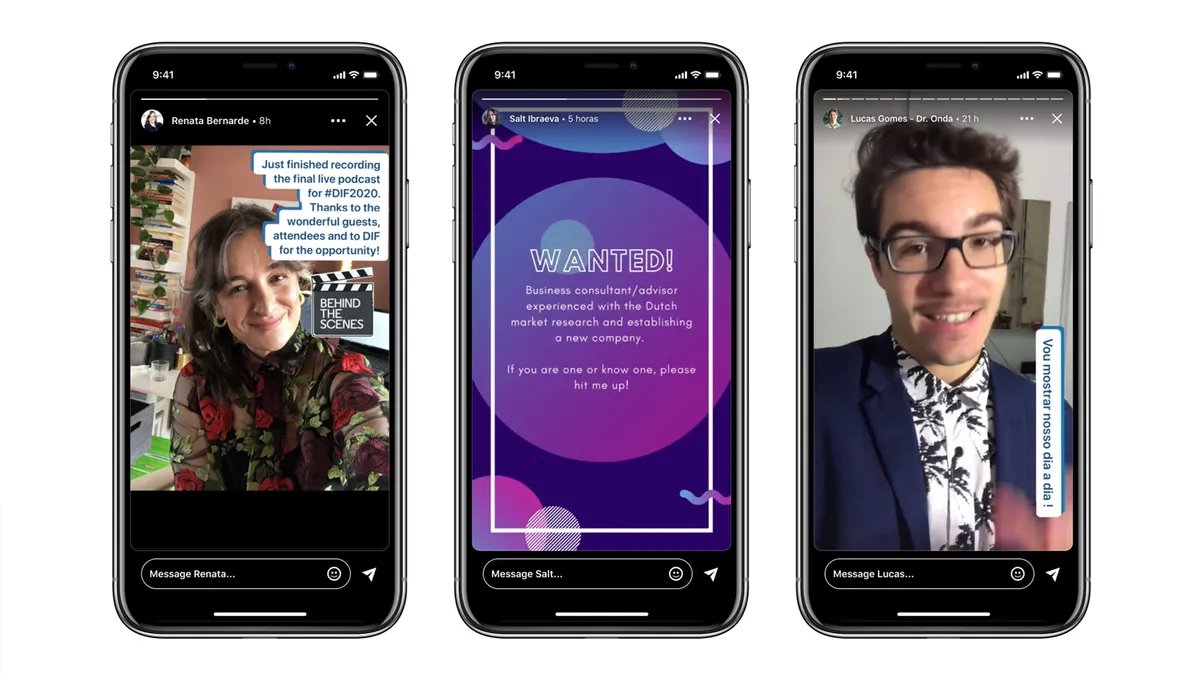
Despite the trend’s success on other platforms, LinkedIn stories never gained meaningful traction. Users simply didn’t engage with ephemeral content in a professional context the same way they did on personal social networks.
After less than two years, LinkedIn discontinued Stories in September 2021, acknowledging in a blog post that users wanted videos that ‘live on your profile, not disappear’ and preferred lasting content over ephemeral updates.
Why it failed
LinkedIn Stories failed because it went against what users expect from the platform. Users come to LinkedIn to build their credibility, show their professional value, and create durable content. The story’s format promoted casual sharing, which didn’t fit with the serious nature of professional identity.
Unlike other social media platforms, where being informal is common, LinkedIn users were unsure about what to post, how to showcase themselves, and who the feature was meant for. Because of this, Stories never became a regular practice.
The checkpoints ahead would have flagged this failure within weeks.
3. Apple Maps launch disaster
(Source)

In September 2012, Apple replaced Google Maps with its own mapping service as the default app on iOS 6. Apple had designed Maps from the ground up, with turn-by-turn directions, interactive 3D views, and a stunning Flyover feature.
The launch was catastrophic. Apple Maps struggled to locate basic addresses, directed drivers down nonexistent roads, misplaced landmarks, and lacked public transit directions entirely, particularly outside the United States. Users flooded social media with examples of severe navigation errors and misplaced locations.
Within a week of the iPhone 5 release, Apple CEO Tim Cook issued a public apology. A senior executive who oversaw Maps was fired. The backlash was so severe that Apple’s stock dropped 4.5%, wiping out roughly $30 billion in market value.
Why it failed
Apple Maps failed because the company launched without adequate real-world validation. Internal testing showed the maps worked well locally, but Apple never exposed the product to a large, diverse user base before replacing Google Maps entirely for millions of iPhone users. The framework ahead will show you exactly how to avoid this. Keep reading.
The 5 most common types of feature failures teams overlook
Feature failures follow predictable patterns. Recognizing these patterns early helps teams intervene before small issues become public disasters.
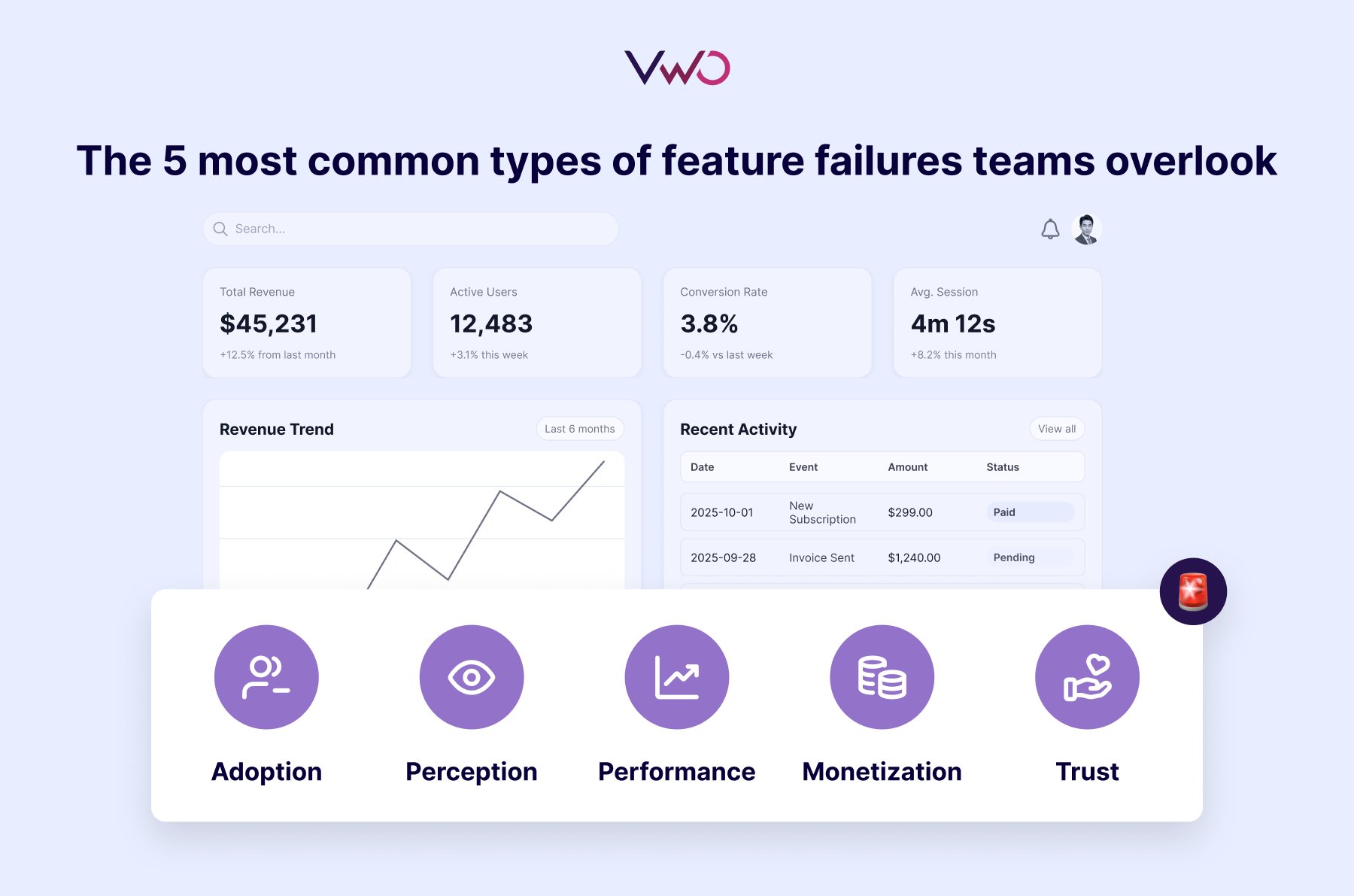
1. Adoption failures: Features users simply don’t use
A team ships a highly requested feature, and no one uses it. The problem isn’t always execution. Sometimes the feature is too hard to discover, requires too much friction to adopt, or arrives after user needs have already shifted.
2. Perception failures: Improvements that feel like step-backs
Sometimes you make something objectively better, but users revolt anyway. Metrics might show the new version is faster or more capable, yet users complain about the change. These failures occur when changes disrupt muscle memory, hide familiar features, or alter workflows users have already internalized.
3. Performance failures: Features that quietly degrade the product
These degradations are subtle enough that they don’t trigger immediate alerts, but significant enough to erode user experience over time.
For example, a team upgrades its search to deliver smarter results. The answers are better, but searches hesitate, filters take longer to respond, and quick lookups no longer feel instant. These failures happen when teams ship without measuring the impact on overall product performance.
4. Monetization failures: Updates that reduce revenue instead of growing it
Monetization failures happen when teams optimize for one metric without understanding how it affects the broader revenue system.
For instance, a product introduces a new free tier to boost adoption. Sign-ups increase and engagement spikes, but over time, fewer users upgrade. Existing customers downgrade, and the perceived value of paid plans quietly erodes.
5. Trust failures: Releases that damage user confidence
Trust failures happen when features cross privacy boundaries or introduce security concerns. For example, a privacy-related update that users perceive as intrusive.
Trust failures are the hardest to recover from because they’re not about functionality. They’re about whether users believe the product has their best interests.
5 feature release safety checkpoints
Teams should not compromise between speed and safety. They build systems that enable both. Here are five checkpoints that work together to prevent feature release failures.
Checkpoint 1: Progressive exposure
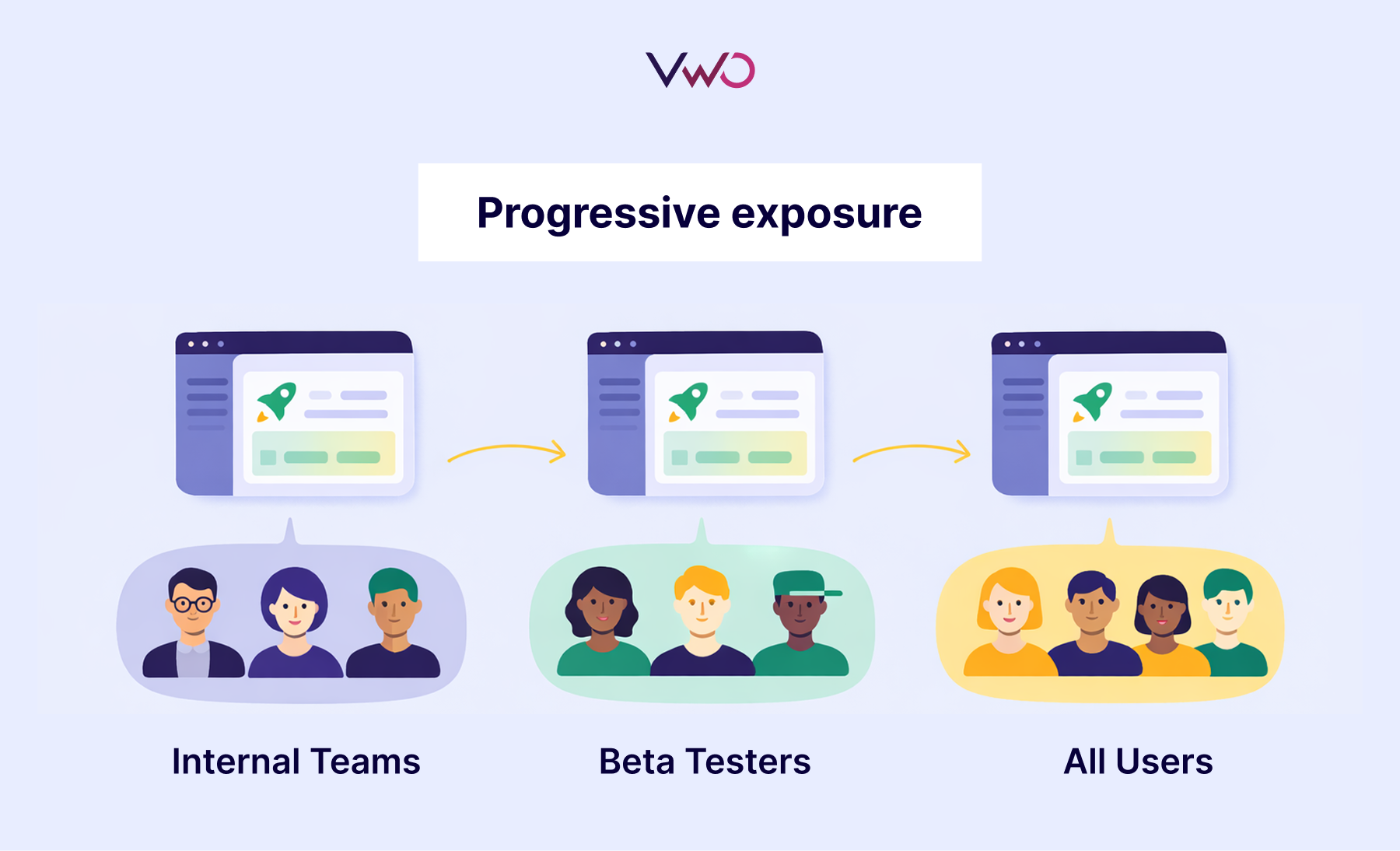
The safest way to release a feature is to not release it to everyone at once.
Progressive exposure means controlling who sees your product features and when, starting small and gradually expanding based on real performance data. This approach relies on feature flags, which are switches within your software that turn features on or off without deploying new code.
You can release new features to a small group first, like internal teams or beta testers, watch how it affects the product experience, collect feedback, and make improvements before exposing it to everyone. If something goes wrong, you can limit the damage.
Progressive exposure is especially valuable for changes affecting core experiences like navigation redesigns, algorithm updates, pricing changes, and workflow modifications.
Checkpoint 2: Real-time validation
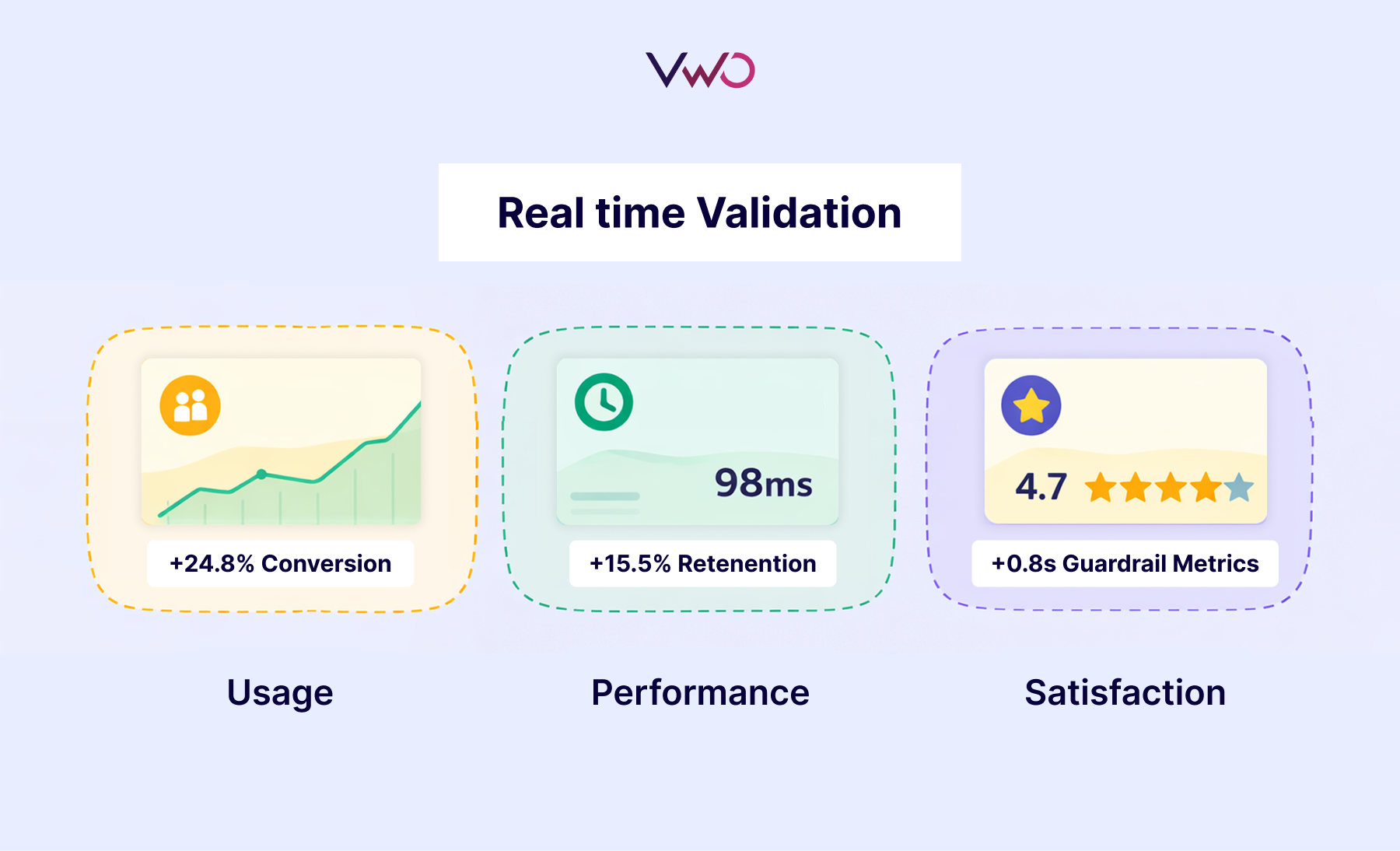
You can’t manage what you don’t measure. Real-time validation means tracking how features affect user behavior and business outcomes from the moment they go live. This lets you catch problems early, understand what’s working, and make data-driven decisions before small issues become large failures.
Effective monitoring requires three types of metrics:
- Primary metrics measure your main objective and determine if the feature succeeds or fails.
- Secondary metrics capture broader impact, helping you understand why primary metrics are moving and whether the feature creates unexpected downstream effects.
- Guardrail metrics protect critical product health indicators like error rates, page load times, etc. These ensure you’re not improving one metric while degrading others that matter to user experience.
The key is defining these metrics before launch, then monitoring them daily during rollout. When guardrail metrics degrade or primary metrics decline, you have the data to pause rollouts or trigger rollbacks immediately, not weeks later when damage has already spread.
Checkpoint 3: Instant rollback
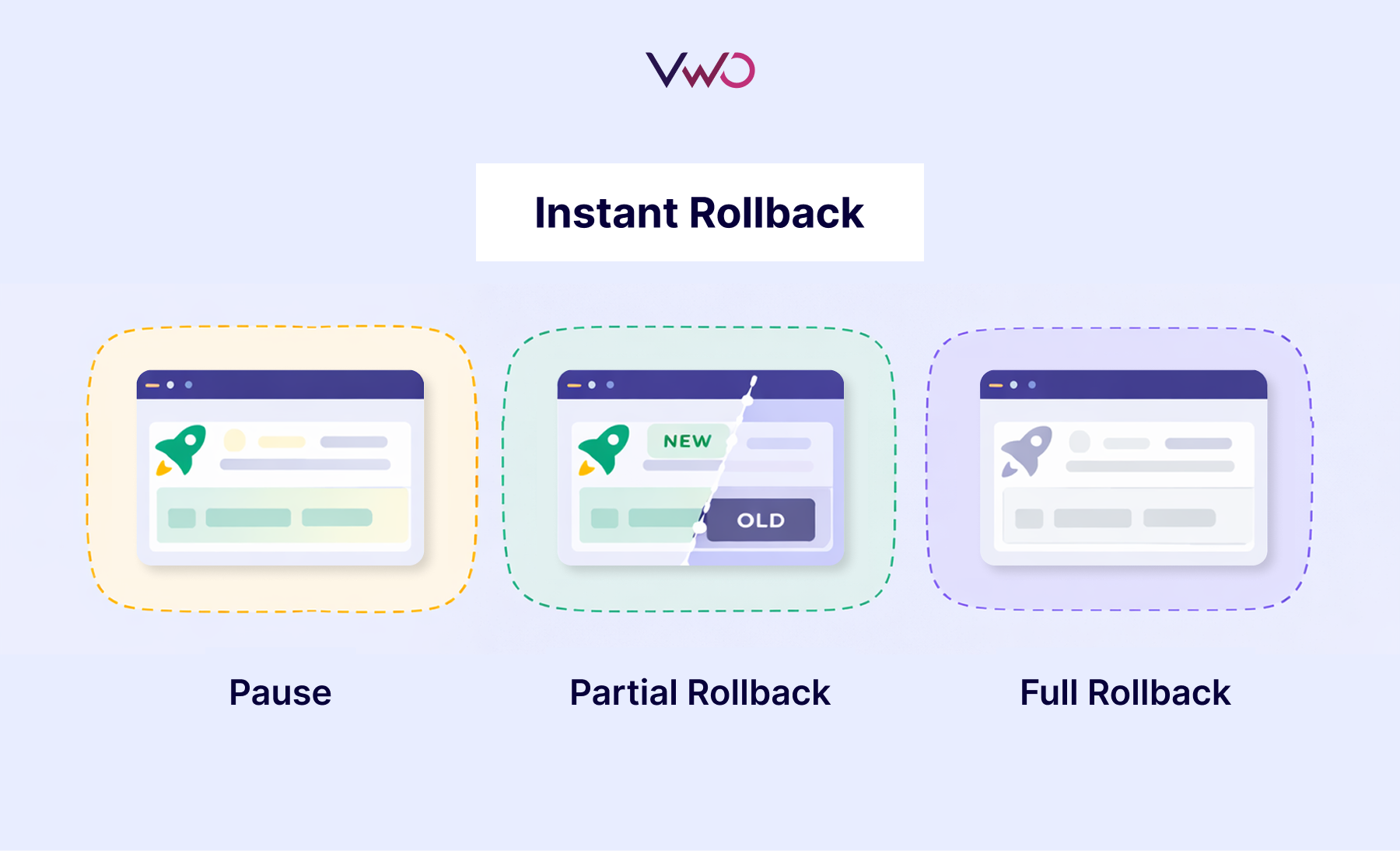
The best safety feature is the ability to undo damage instantly. Instant rollback means disabling a problematic feature immediately without waiting for code deployments or engineering cycles.
This capability limits damage when things go wrong and gives teams confidence to move faster, knowing they can reverse course at any moment. But not every metric dip requires a full rollback. Teams need clear decision rules:
- Pause the rollout when guardrail metrics show warning signs, but the feature isn’t actively breaking. This gives you time to investigate without expanding exposure.
- Execute a partial rollback when the feature works for some user segments but fails for others. Disable it for affected groups while keeping it live where it succeeds.
- Trigger a full rollback when critical issues emerge, like severe performance degradation or security vulnerabilities. Speed matters more than investigation in these scenarios.
Pre-define these triggers and automate responses where possible.
Checkpoint 4: Controlled testing
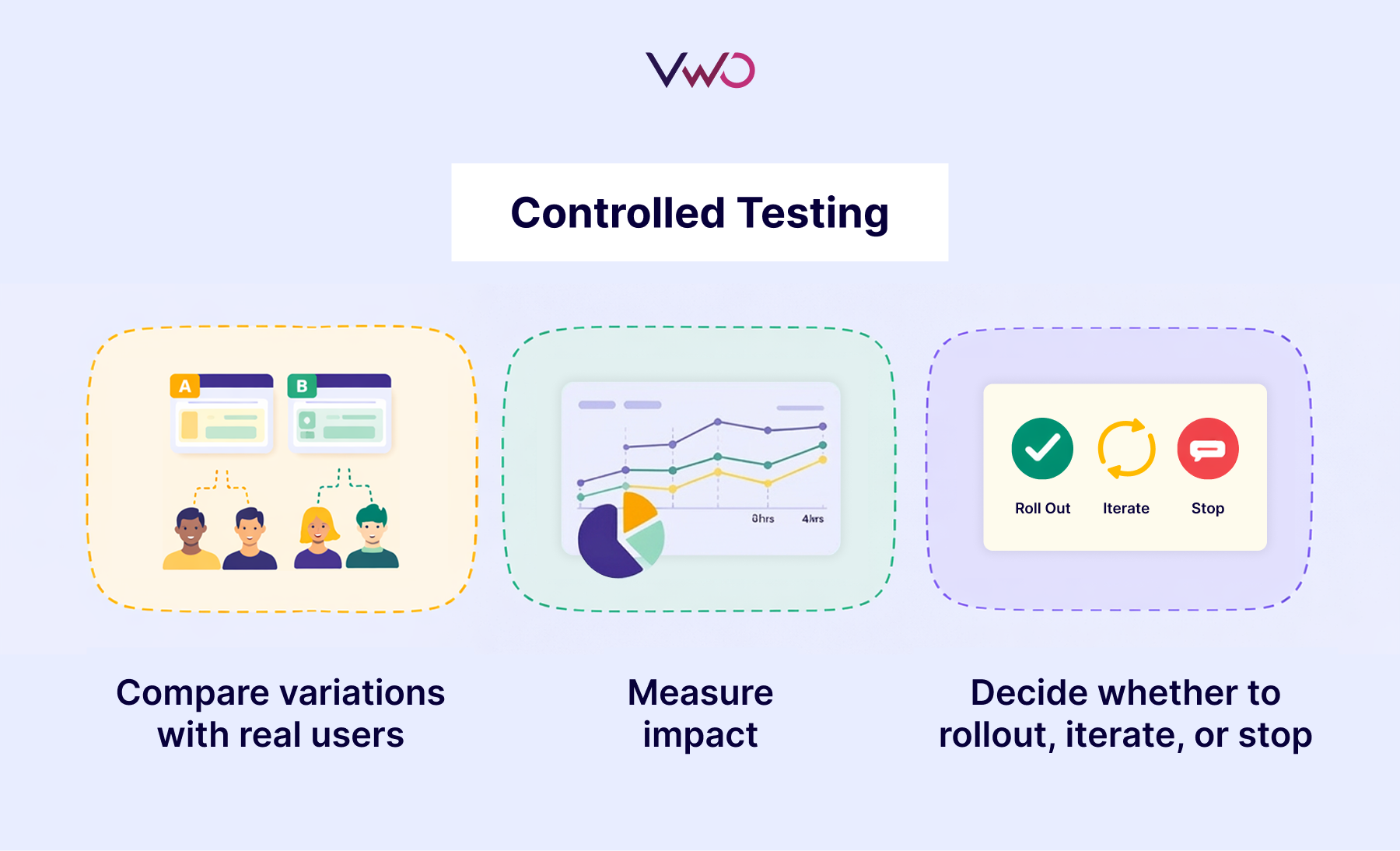
Controlled testing means validating features with real users before committing to a full rollout. This lets you compare variations, measure impact, and make decisions based on evidence rather than assumptions.
High-impact changes like user onboarding experiences, search algorithms, pricing experiments, and AI model variations demand validation.
Checkpoint 5: Personalization (Customizing experiences for specific segments)
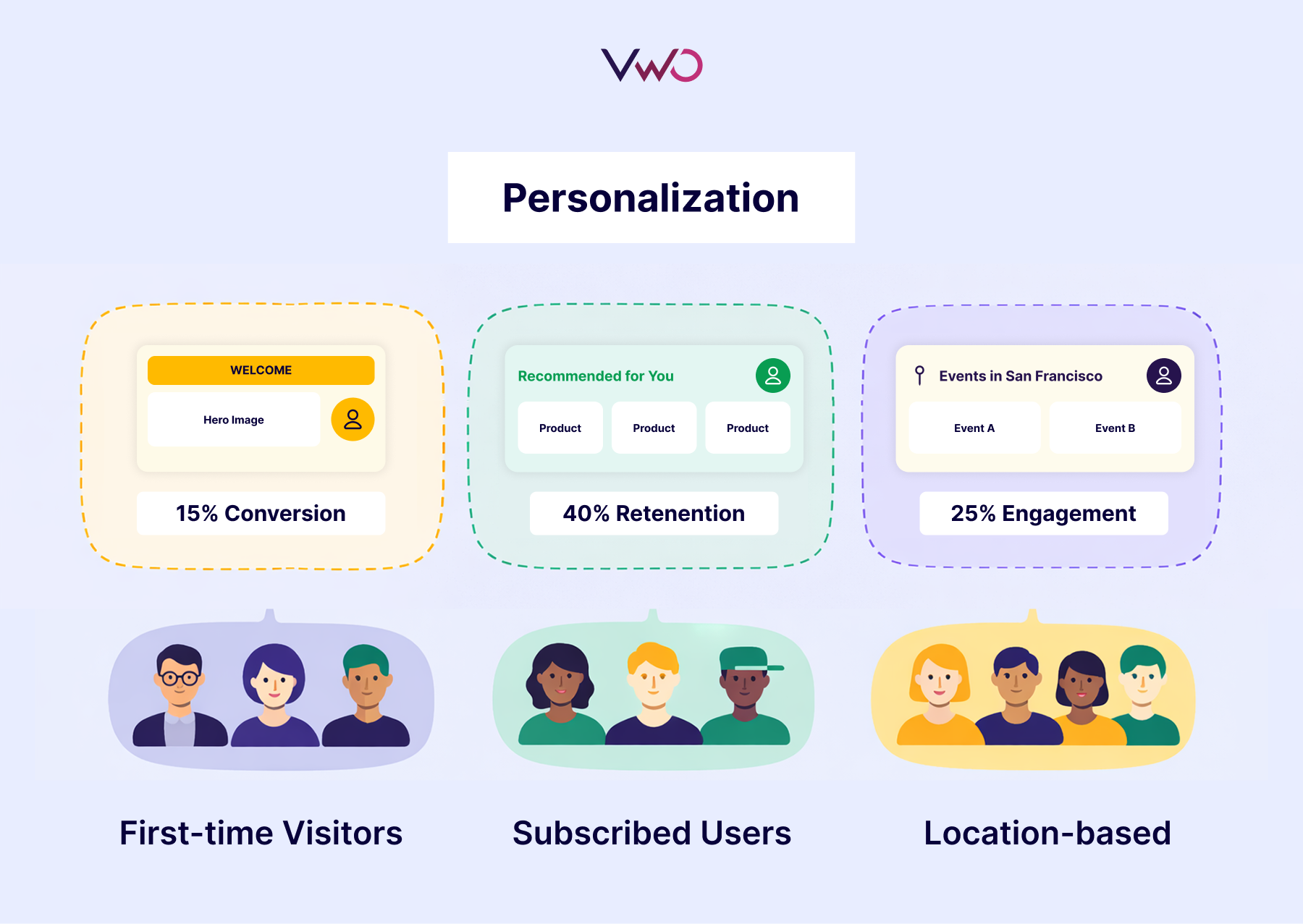
Not all users are the same. What works for one segment might fail for another. While the first four checkpoints focus on preventing failures, personalization ensures you maximize value once features are proven safe. After testing reveals how features perform across different segments, you can deliver optimized experiences to each group automatically.
How these checkpoints apply to real failures
Let’s revisit the three disasters from the beginning and see exactly which checkpoints would have prevented each one.
| Company | Checkpoints that would have prevented it |
| Knight Capital | – Real-time monitoring would have detected the server discrepancy and abnormal trading patterns within minutes of market open. – Kill switches and instant rollback would have stopped the malfunctioning server before losses mounted. |
| LinkedIn Stories | – Progressive rollout to a limited segment would have revealed low engagement patterns early. – Real-time validation through adoption and usage metrics would have shown within weeks or months that Stories weren’t becoming a habit, not two years later. – Pre-defined kill criteria would have triggered an earlier decision based on engagement thresholds. |
| Apple Maps | – Progressive rollout by geography would have revealed data quality issues early, preventing them from reaching everyone simultaneously. – Real-time monitoring of error reports, navigation failures, and user complaints across different locations would have shown the scope of problems within days, not after the public backlash. – Controlled testing with user segments across diverse geographies would have exposed problems that internal testing missed. Personalization by geography could then have enabled Maps in regions with strong performance. |
How the checkpoints work together
These five checkpoints form an integrated system where each strengthens the others, creating a release process in which features ship safely, perform predictably, and improve continuously.
VWO Feature Experimentation unifies all checkpoints in a single platform:
1. Progressive exposure made simple:
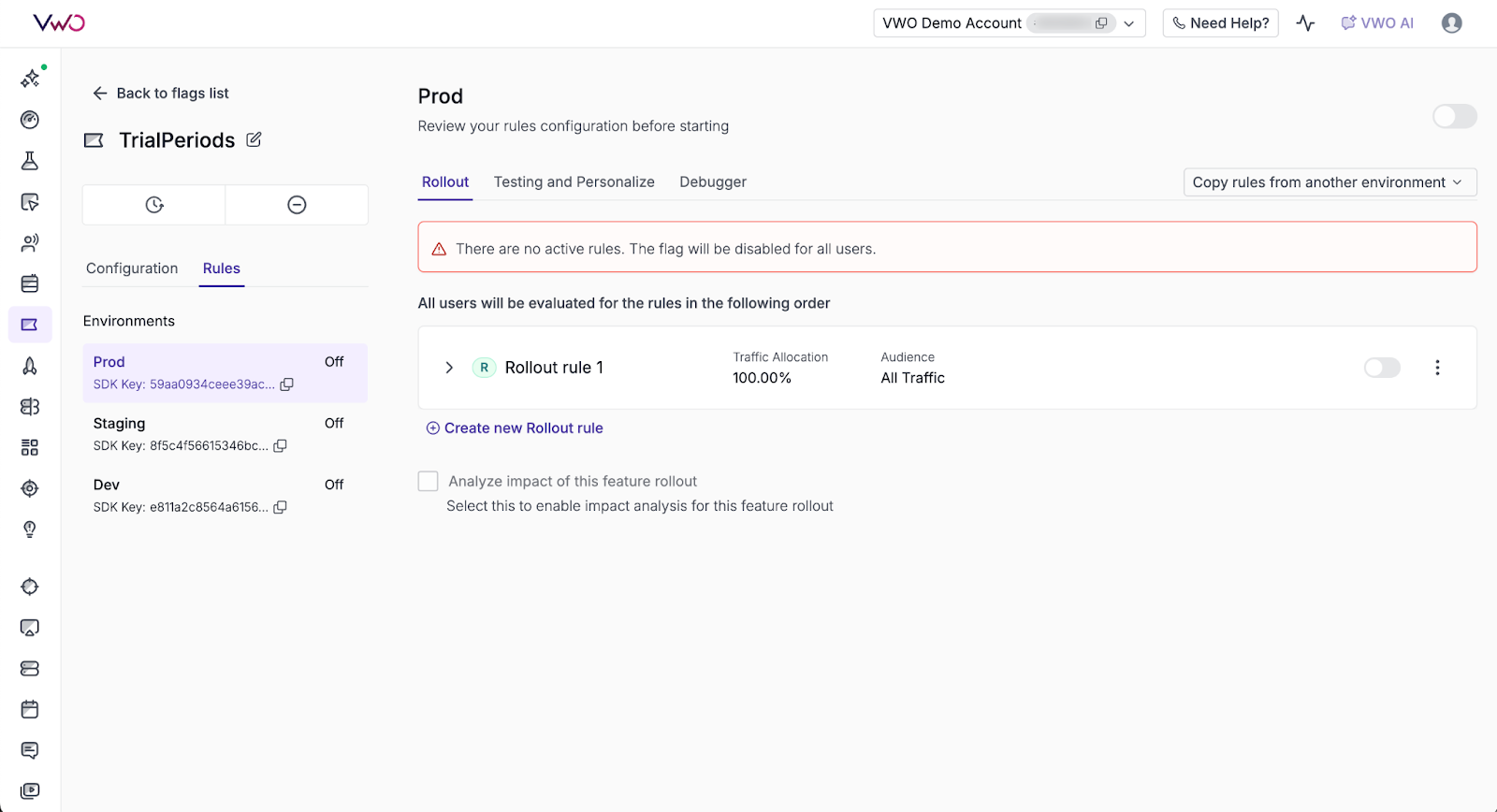
Control what percentage of users see a feature and adjust that percentage anytime through the dashboard without code changes. Dynamic configuration lets you adjust feature behavior, UI elements, or settings in real time without redeployment. Follow this guide to set up Feature Flags in VWO.
2. Real-time validation at scale:
Define and track all three metric types (primary, secondary, and guardrail) in real time to monitor how features impact user behavior and business outcomes. Measure complete impact across user behavior (clicks, engagement, conversions) and technical performance (load times, error rates, stability). Integrate with your data stack to connect with your data warehouse, CDP, CMS, or more for consistent analysis.
For deeper investigation, integrate with VWO Insights to analyze user behavior on both web and mobile. Understand not just what’s happening with your metrics, but why it’s happening by revealing how users interact with new features and where they encounter friction.
3. Instant rollback with automation:
VWO’s rollout rules include built-in kill switches that let you turn off features instantly without deployment. You can automate these kill switches based on metric thresholds, so features disable automatically when error rates, crash rates, or other guardrails are breached. You can roll back to 0% to fully disable a feature, or reduce to a lower percentage to limit exposure while you investigate.
4. Controlled testing with confidence:
VWO lets you run A/B tests, multivariate experiments, and multi-armed bandit tests to compare variations and identify what works best. You can define variations within feature flags, split traffic between them, and measure outcomes across primary, secondary, and guardrail metrics.
VWO’s stats engine handles statistical significance calculations, ensuring decisions are based on trustworthy data. Experiment results integrate with your data warehouse and analytics tools for consistent analysis.
Once an experiment identifies a statistically significant winner, you can automatically deploy the winning variation to all users, eliminating the delay between discovering what works and rolling it out.
5. Personalization for maximum impact
VWO’s personalization rules let you tailor experiences based on user characteristics or behavior. Instead of showing everyone the same thing, you decide exactly who sees what based on location, device type, subscription tier, or custom attributes.
For example, show welcome offers to first-time visitors, premium features to subscription users, or localized content to users in specific cities. Monitor how each segment performs with real-time metrics, adjusting as behavior evolves.
Personalization rules work across web, mobile, tablet, and kiosks, ensuring consistent experiences wherever users interact with your product.
Conclusion
We opened with the reality that most feature releases fail. The key is understanding that feature failure follows predictable patterns, and teams that recognize those patterns early can intervene before small issues become disasters.
You’ve now seen the patterns that cause failure and the checkpoints that prevent them.
VWO Feature Experimentation gives you one platform to implement all five checkpoints. Ship safely, validate continuously, and recover instantly when needed.
Start implementing these five checkpoints with a free trial or request a demo to see how VWO makes it simple!
Categories: